How to Use Data to Prioritize Your LinkedIn Prospects
In the world of B2B sales, not all leads are created equal. A common mistake is to treat every prospect who fits your Ideal Customer Profile (ICP) the same. This leads to wasted time, generic outreach, and a pipeline that feels more like a lottery than a predictable system. The top-performing sales professionals know a secret: they prioritize their prospects based on data.
LinkedIn is a goldmine of data that signals a prospect's intent, urgency, and relevance. By learning how to read these signals, you can move beyond basic demographics and focus your energy on the leads who are most likely to convert. This guide provides a clear, actionable framework for using LinkedIn data to prioritize your prospects, helping you build a more efficient and effective sales process.
1. The Foundation: Moving Beyond Basic Demographics
Your Ideal Customer Profile (ICP)—based on data points like industry, company size, and job title—is the foundation of your prospecting. It tells you who you should be talking to. However, it doesn't tell you when you should talk to them.
To effectively prioritize, you need to layer behavioral data on top of your ICP. This data reveals a prospect's current needs, challenges, and level of interest. A prospect who fits your ICP and is actively signaling buying intent is infinitely more valuable than one who fits your ICP but is completely dormant.
2. Identifying High-Intent Buying Signals on LinkedIn
Buying signals are the digital breadcrumbs that prospects leave behind, indicating they may be in the market for a solution like yours. Here are the key signals to look for on LinkedIn.
Job Changes: The "New Role, New Budget" Signal
When a decision-maker starts a new role, they have a mandate to make an impact and often have a fresh budget. This is one of the strongest buying signals on LinkedIn.
- How to find it: Use LinkedIn Sales Navigator to filter for leads who have "Changed jobs in the last 90 days."
Content Engagement: Likes, Comments, and Shares
The content a prospect engages with is a direct window into their professional priorities and pain points.
- The Signal: A prospect likes, comments on, or shares a post about a problem your solution solves. A comment like, "This is a huge challenge for our team right now," is a direct cry for help.
- How to find it: Monitor engagement on your company's posts, track relevant industry hashtags, and—most powerfully—watch the comments on your competitors' posts.
Company-Level Signals: Funding, Hiring, and Growth
A company's overall activity can signal a need for new tools and services.
- The Signal: A target company announces a new round of funding, an acquisition, or is on a major hiring spree for roles that would use your product.
- How to find it: Follow your target accounts' company pages and regularly check their "Jobs" tab.
Direct Interest Signals: Profile Views and Company Page Follows
These signals indicate that a prospect is already in the research phase and your company is on their radar.
- How to find it: Regularly check the "Who's Viewed Your Profile" section (a LinkedIn Premium feature) and the notifications for new followers of your company page.
3. A Simple Framework for Prioritizing Your Prospects
Once you start identifying these signals, you can categorize your prospects into three tiers to guide your outreach strategy.
Tier 1: The "Act Now" Prospects (Top 5%)
- Who they are: These prospects perfectly match your ICP and are showing strong, recent buying signals (e.g., just started a new VP role, commented on a competitor's post, asked for recommendations).
- Your Strategy: These are your hottest leads. Engage with them immediately with a highly personalized, multi-touch outreach sequence. Your goal is to start a conversation within 48 hours.
Tier 2: The "Warm and Nurture" Prospects (Next 20%)
- Who they are: These prospects fit your ICP and are showing weaker buying signals (e.g., they liked a relevant post, their company is hiring, they viewed your profile).
- Your Strategy: These leads are warm but may not be ready for a sales conversation today. Add them to a long-term nurturing sequence that focuses on providing value.
Tier 3: The "Long-Term Play" Prospects (Remaining 75%)
- Who they are: These prospects fit your ICP but are not showing any recent buying signals.
- Your Strategy: These leads are cold. Don't waste your time with direct outreach. Instead, add them to a low-touch, automated "warm-up" campaign that focuses on building familiarity over time through profile views and content engagement.
4. How to Systematize Your Data-Driven Prospecting
Manually tracking all this data and managing different outreach strategies for each tier is not scalable. To do this effectively, you need to build a system that combines targeted list-building with smart automation.
This is where a powerful and secure tool like Bindago becomes your engine for growth. Bindago is a desktop application that helps you automate your LinkedIn outreach safely and efficiently.
Here’s how you can use Bindago to build a data-driven prospecting machine:
- Build Your Tiered Lists: Use Sales Navigator to create hyper-targeted searches based on the signals above. For example, create a saved search for "VPs of Marketing who changed jobs in the last 90 days" (your Tier 1 list).
- Export for Management: Use Bindago to export your lists to a CSV file. This allows you to organize your prospects by tier and import them into your CRM.
- Create Tier-Specific Campaigns: With Bindago's Campaigns feature, you can create a unique, multi-step outreach campaign for each tier.
- For Tier 1: A more direct, high-touch sequence with personalized messages.
- For Tier 2 & 3: A longer, value-driven nurturing sequence that includes automated touchpoints like profile views and post likes.
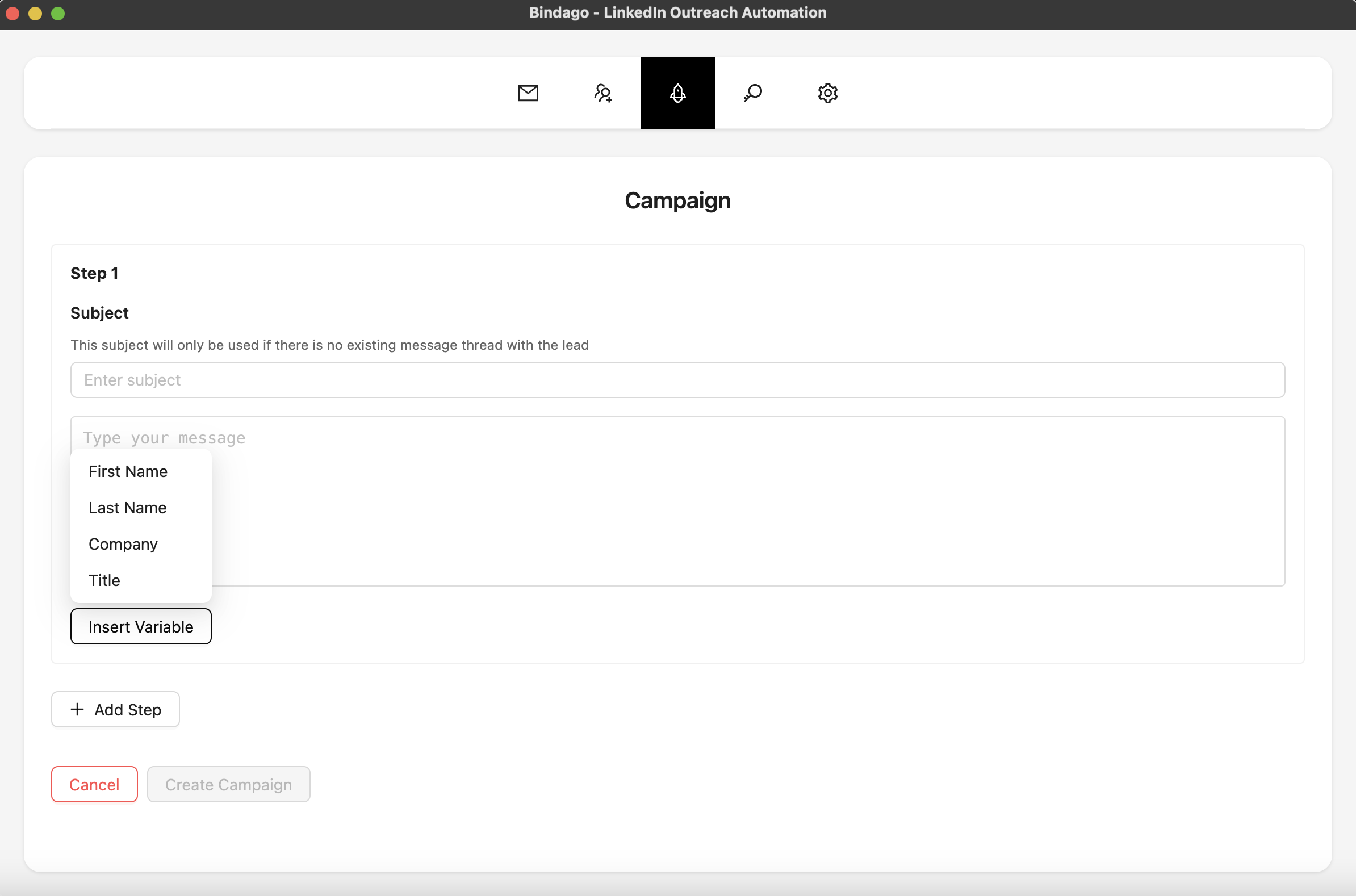
By using Bindago to systematize your outreach, you can ensure that every prospect is engaged with the right message at the right time. This frees you from the manual work of tracking and follow-up, allowing you to focus on having strategic conversations with your most qualified, high-intent leads. And because it's a desktop app, your LinkedIn credentials remain securely on your computer.
Conclusion
Prioritizing your LinkedIn prospects based on data is the key to a more efficient and effective sales process. By moving beyond demographics and focusing on behavioral buying signals, you can stop wasting time on cold leads and focus your energy where it matters most.
The framework is simple:
- Identify high-intent signals.
- Segment your prospects into tiers.
- Execute a tailored outreach strategy for each tier.
- Systematize your workflow with smart automation.
Adopt this data-driven approach, and you'll build a predictable pipeline of warm, qualified leads who are ready to talk.
Ready to build a smarter, more efficient sales pipeline? Download Bindago today and start your 10-day free trial.
