Zopto Has Shutdown, but here's an Alternative for LinkedIn Outreach Automation
If you used Zopto for LinkedIn outreach, the recent change may have caught you mid-campaign.
Zopto's familiar self-serve SaaS product is no longer the path forward. The brand has shifted toward Zeekeo, a more service-focused, book-a-call model. That works if you want a done-for-you agency. It is a weaker fit if you still want to run your own LinkedIn sequences, connection requests, and follow-ups without outsourcing the whole pipeline.
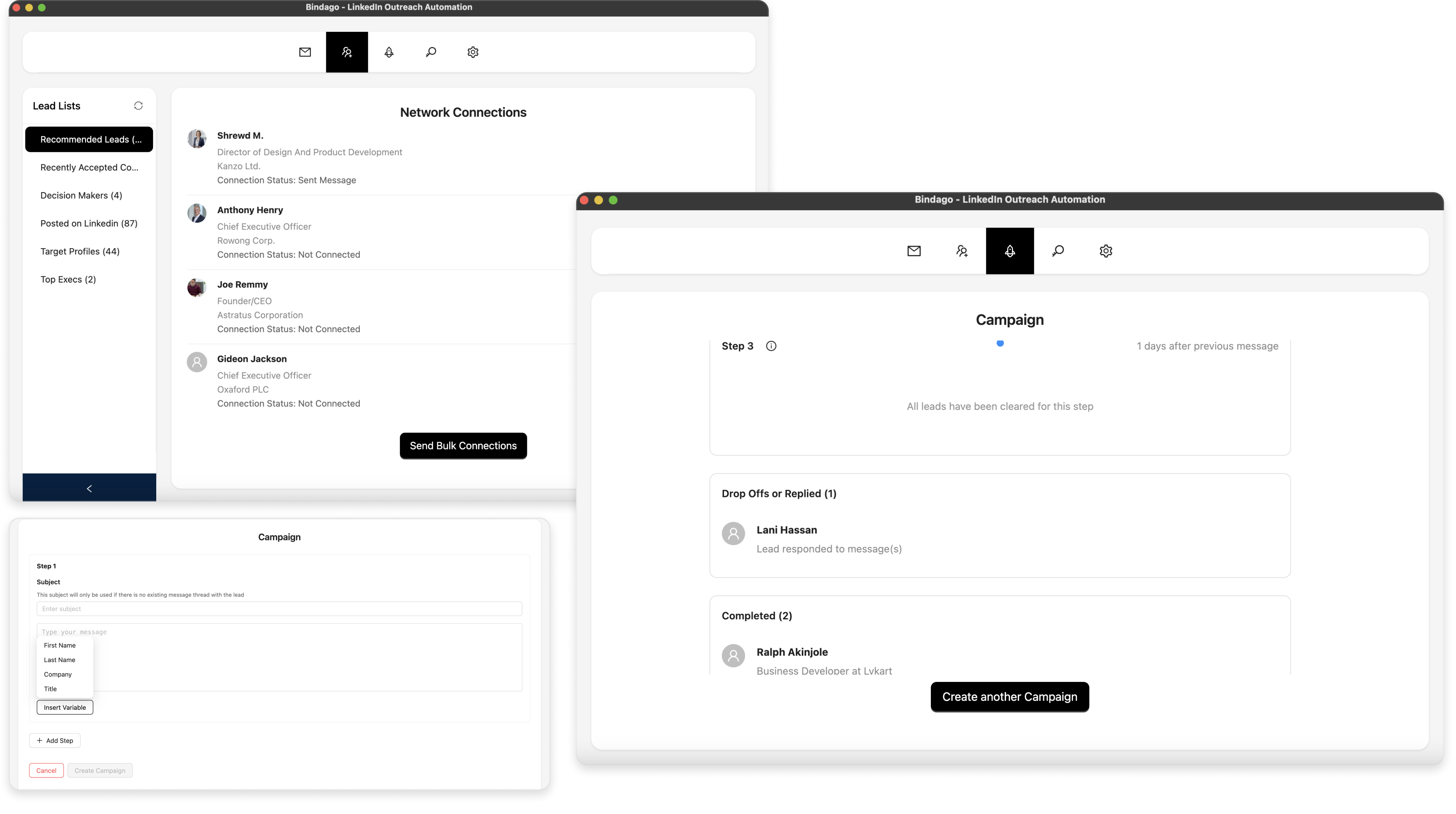
If you are looking for a practical self-serve alternative, this guide shows how to rebuild a similar LinkedIn outreach workflow with Bindago: load targeted leads, personalize connection notes and messages, run multi-step sequences, and keep replies moving from a desktop app.
The goal is simple: help you move from the old Zopto setup to a stable day-to-day outreach routine with minimal friction.
What changed with Zopto / Zeekeo
For years, Zopto was known as a cloud LinkedIn automation platform: you connected accounts, built campaigns, and let outreach run remotely.
That self-serve product model is effectively gone. Visiting Zopto today points you toward Zeekeo, which positions itself as a B2B lead generation agency / managed growth offering. The main call to action is booking a call, not signing up for software and launching your own campaigns.
That is a real product-category change:
- Old Zopto expectation: self-serve LinkedIn automation SaaS.
- New Zeekeo positioning: service-led pipeline growth, with outreach handled as part of a managed engagement.
If your team still wants software you control, you need a different tool.
What most teams need from a LinkedIn outreach tool
Most LinkedIn outreach workflows include:
- Bulk connection requests to a targeted prospect list.
- Personalized notes and follow-up messages.
- Multi-step sequences after someone accepts.
- CSV export / lead list handling.
- Safe pacing so volume does not spike overnight.
Bindago supports that core flow as a desktop app. Campaigns run on your machine, so LinkedIn credentials stay local instead of living on a third-party cloud automation server.
It is also typically about 10x cheaper than most cloud LinkedIn automation tools, with a 10-day free trial and no credit card required.
How to run the same outreach workflow in Bindago
1. Install Bindago and connect your LinkedIn account
- Download Bindago from bindago.com.
- Install it on Windows, macOS, or Linux.
- Log in to the LinkedIn account you use for outreach.
Because Bindago is a desktop app, your login stays on your computer.
2. Load your prospect list
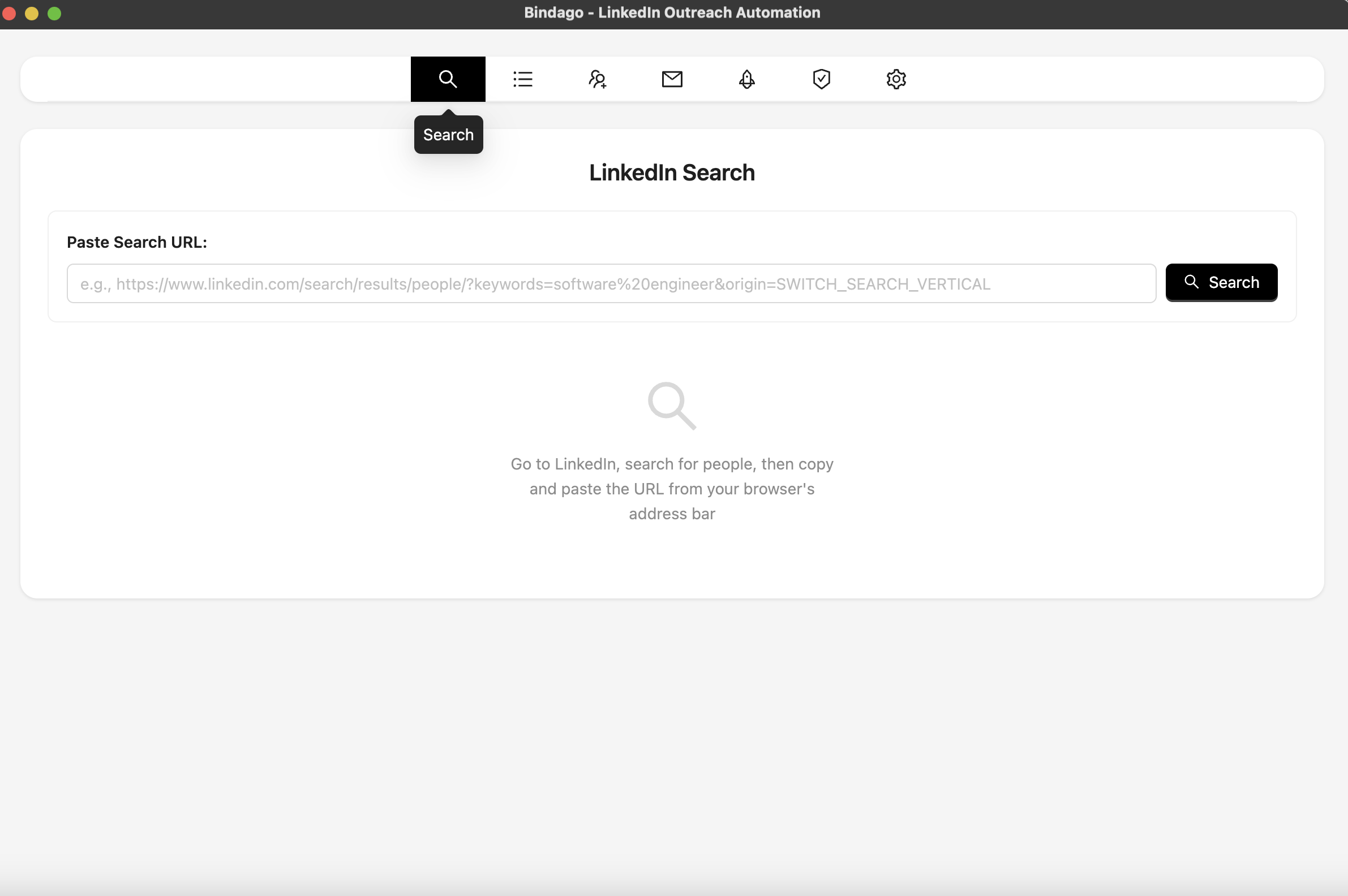
In Bindago, open Search, then paste a LinkedIn or Sales Navigator search URL. Bindago loads the same prospect list so you can start from the targeting you already trust.
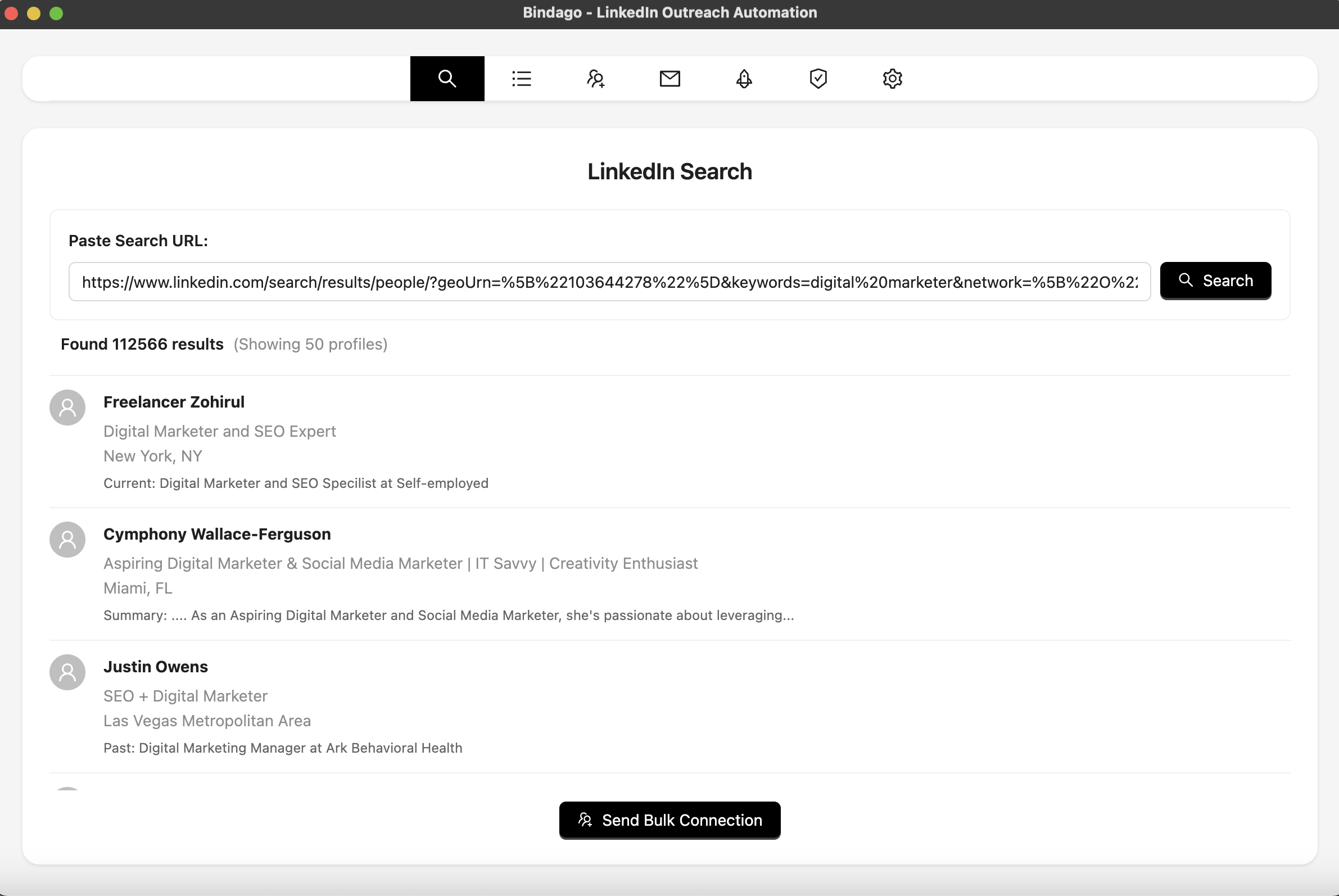
You can also work from saved lead lists and export to CSV when you need that data elsewhere.

3. Send personalized connection requests
From your loaded list, open bulk connection sending and write a short note with personalization variables such as {{firstName}}, {{company}}, and {{title}}.
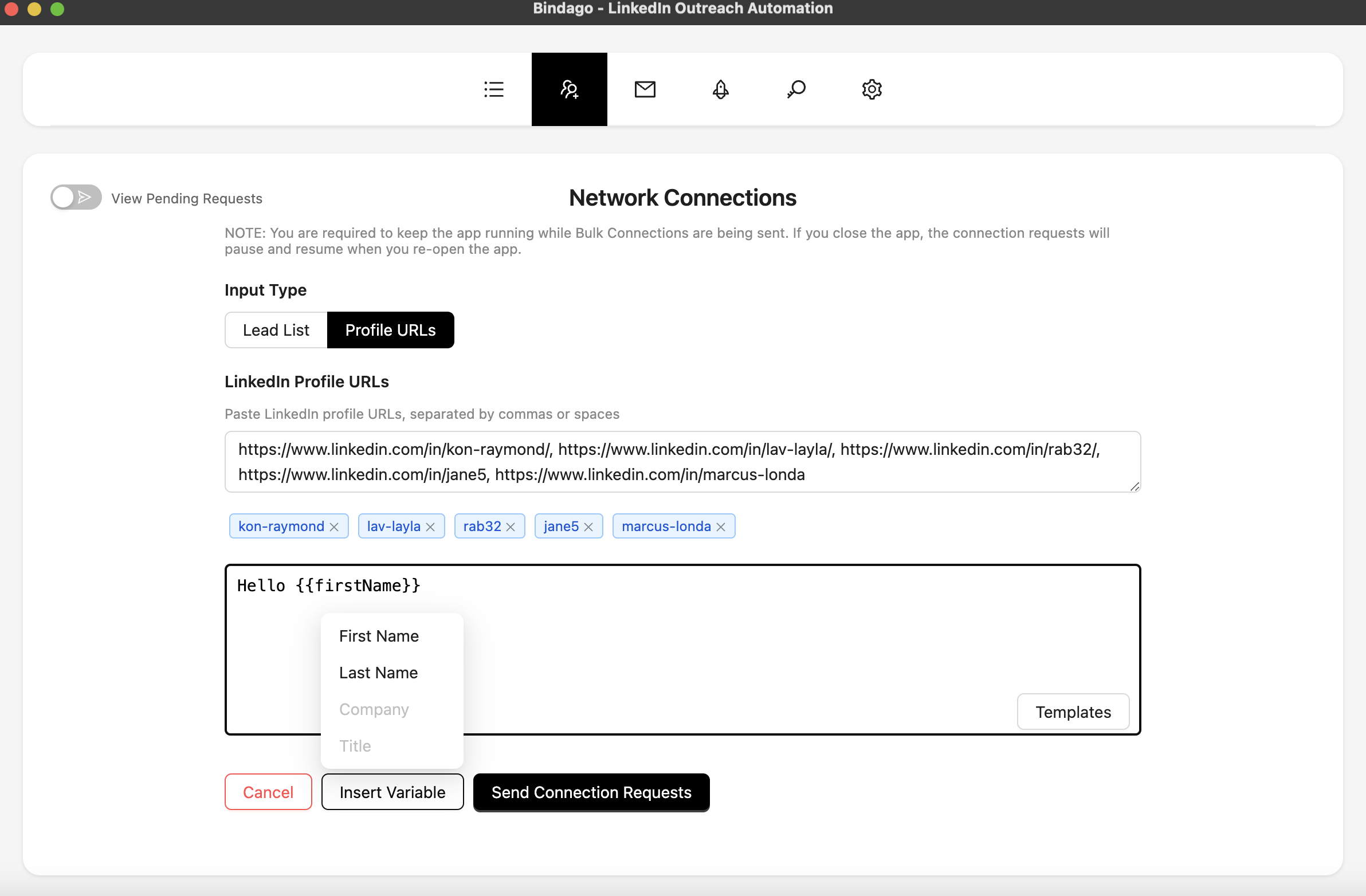
Keep notes short, relevant, and specific. Generic "I'd love to connect" copy underperforms once volume goes up.
4. Build message sequences for accepted connections
After people accept, you still need follow-through. In Bindago, create a campaign with multi-step messaging so non-responders get a paced follow-up path instead of one-and-done outreach.
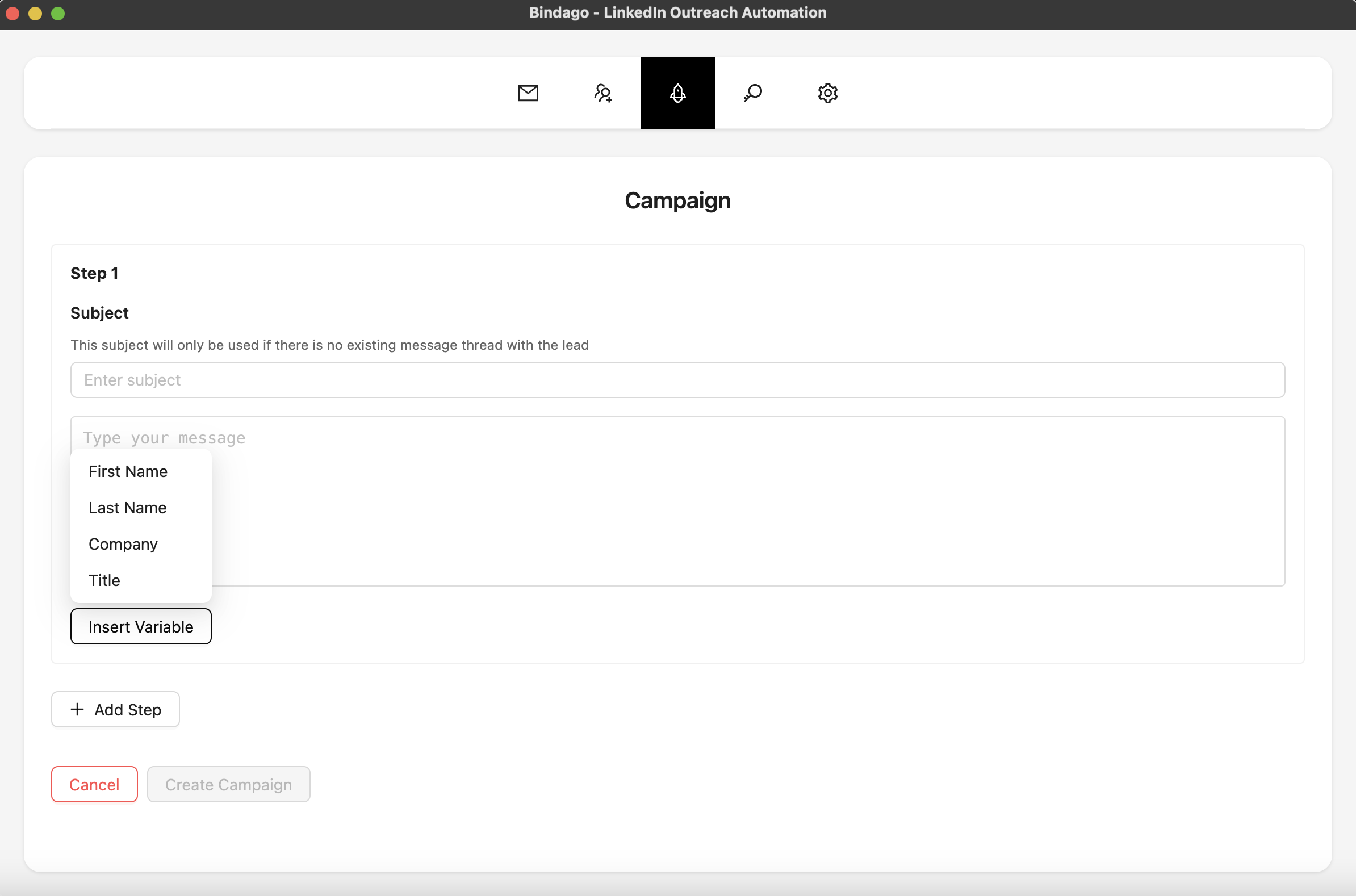
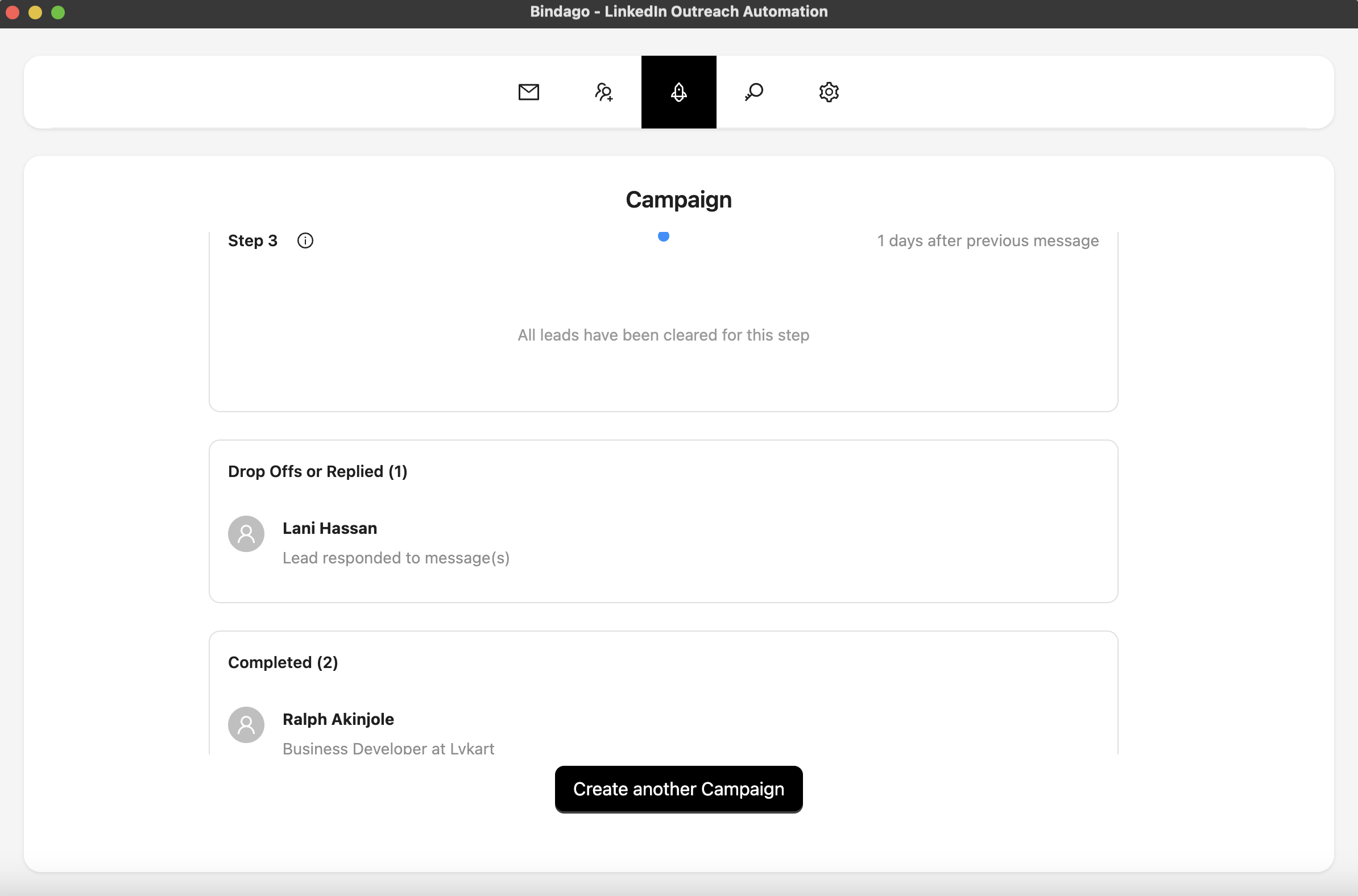
Use:
- A clear opener.
- One or two follow-ups with delays.
- Soft CTAs that invite a reply instead of forcing a hard sell on message one.
5. Keep pacing conservative while you migrate
When switching tools after a shutdown or rebrand, do not jump straight to old peak volume.
- Start with lower daily limits for the first week.
- Keep human-like delays between actions.
- Watch acceptance and reply rates before scaling.
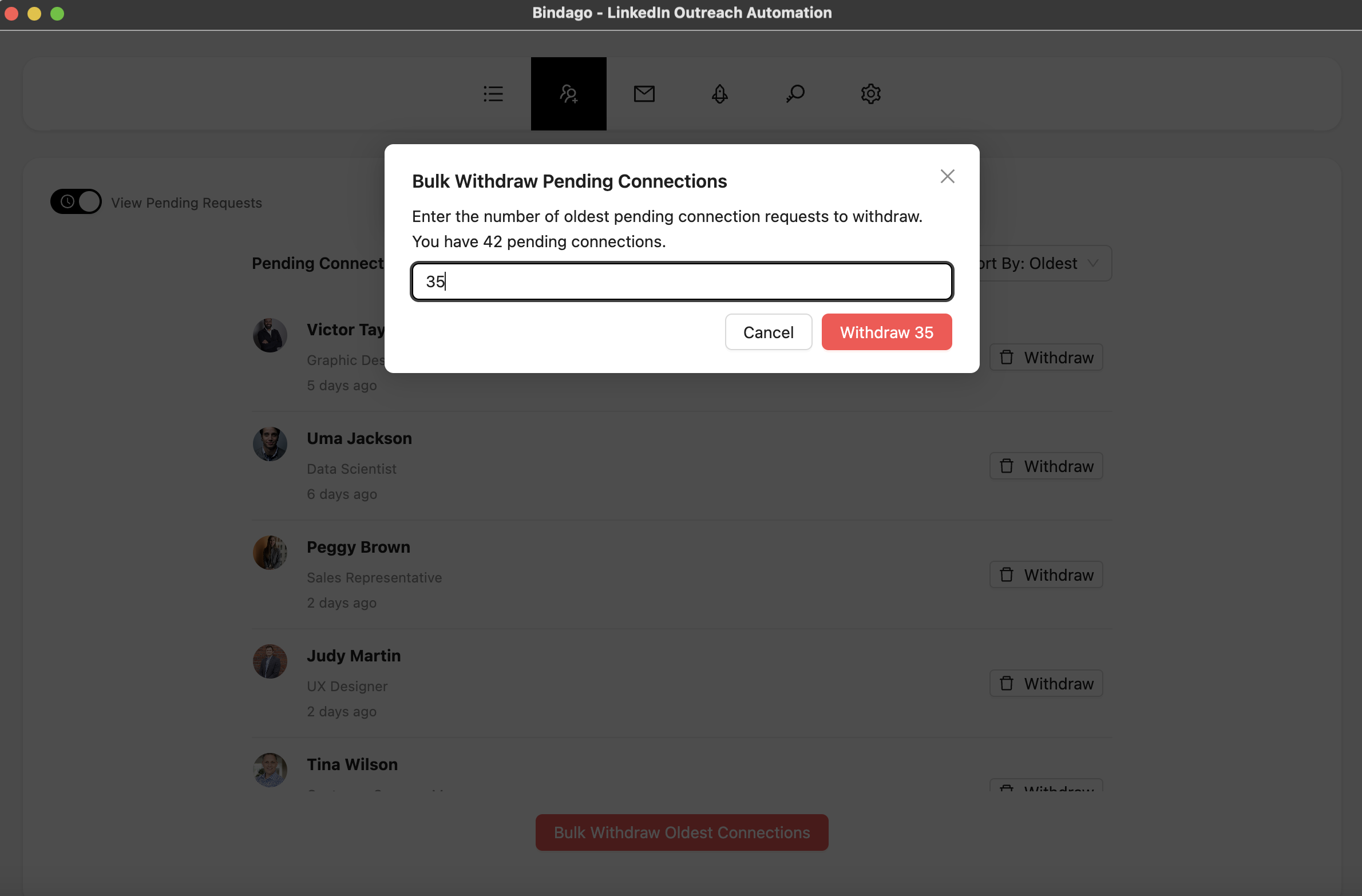
- Withdraw stale pending invites so your account stays clean.
Simple migration checklist (Zopto -> Bindago)
- Export or rebuild your active prospect lists (LinkedIn / Sales Navigator searches).
- Rewrite your core opener and 1-2 follow-up messages.
- Recreate personalization variables (
firstName, company, title). - Start with lower daily limits for week one.
- Run one focused campaign first, then expand.
- Monitor replies in-app and refine copy after the first few hundred touches.
Why teams choose this workflow
Bindago is especially useful if you care about:
- Keeping LinkedIn outreach self-serve instead of moving into a managed agency engagement.
- Running campaigns from a desktop workflow with local credentials.
- Covering the core stack: connects, sequences, InMails, CSV export, and invite cleanup.
- Paying a predictable software price instead of enterprise / agency service pricing.
- Growing volume gradually with safer pacing controls.
Zeekeo may still be the right choice if you want a team to run outbound for you. Bindago is the better fit if you want to keep ownership of the process.
Final take
A product shutdown or rebrand can interrupt plans, but your LinkedIn outreach process does not have to pause for long.
If your objective is still personalized outbound you control, Bindago gives you a practical path: load targeted leads, personalize connection notes, run follow-up sequences, and manage day-to-day outreach from one desktop app.
Start with one campaign, validate reply quality, then scale from there.
Try Bindago free for 10 days (no credit card required).