PhantomBuster Alternatives That Run Locally
PhantomBuster is a flexible cloud automation platform. You pick "Phantoms," connect accounts, and automation runs on remote infrastructure. That model is powerful for multi-platform scraping and workflows, but it also means your work depends on cloud execution, usage limits, and a higher starting price (often around €56/month and up).
Many LinkedIn users want the opposite: tools that run on their own machine, keep sessions closer to a normal browser or desktop login, and avoid always-on cloud bots. If that is you, this guide lists five PhantomBuster alternatives that run locally, either as desktop apps or as tools that execute through your local browser session.
What "runs locally" means here
We only include tools where core LinkedIn automation happens on your computer or in your browser, not on a remote cloud outreach server that holds your LinkedIn session 24/7.
- Desktop apps: Install software, log into LinkedIn from that environment, run campaigns on your machine.
- Browser extensions: Actions execute from your local Chrome (or Chromium) session while you are online.
Pure cloud platforms (always-on remote senders, multi-seat cloud dashboards) are out of scope for this list, even if they are popular PhantomBuster alternatives in other comparisons.
1. Bindago
- Website: https://bindago.com/
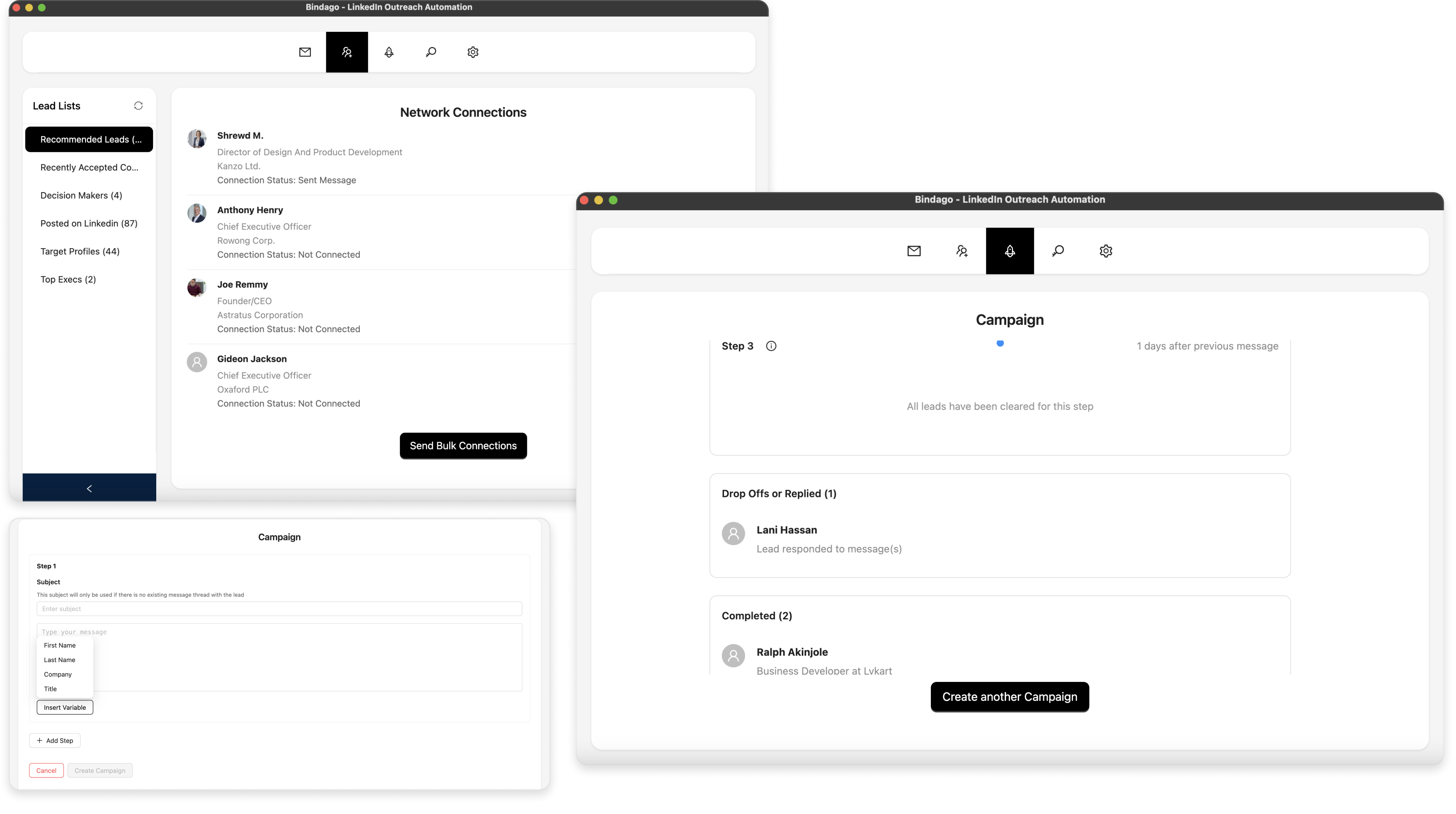
- What it does: A desktop LinkedIn automation app for bulk connection requests, multi-step message sequences, mass InMails, bulk invitation withdrawal, and CSV export from search results. Campaigns run on your computer, so LinkedIn credentials are not handed to a third-party automation server.
- Pricing:
- Standard: $9.99/month (up to 3 LinkedIn accounts)
- Scale: $24.99/month (unlimited LinkedIn accounts + CRM integration)
- Key Features:
- Bulk connection requests with personalized notes
- Multi-step messaging sequences
- Mass InMail sending to Sales Navigator leads
- Bulk withdrawal of pending invitations
- Export LinkedIn search results to CSV
- CRM integration on Scale (HubSpot, Pipedrive, and more)
- Runs locally on Windows, Mac, and Linux
- 10-day free trial (no credit card required)
- Platform: Desktop App (Windows/Mac/Linux)
- Best For: Individuals and small teams who want PhantomBuster-style LinkedIn outreach without cloud pricing or cloud session access.
Why Bindago leads this list: Most people leave PhantomBuster because cloud complexity and cost outweigh what they need for LinkedIn. Bindago keeps the core workflow (connect, sequence, InMail, export) in a local desktop app, starting at $9.99/month. It is simpler than building custom Phantom pipelines and closer to how many people actually use LinkedIn day to day.
2. LinkedHelper 2
- Website: https://linkedhelper.com/
- What it does: A long-standing desktop LinkedIn automation tool with deep campaign builders, list management, and multi-step follow-ups. Like Bindago, it runs as software on your machine rather than as a remote Phantom in the cloud.
- Pricing:
- Standard plan: $15/month
- Pro plan: $45/month
- Platform: Desktop App
- Best For: Power users who want highly customizable local workflows and do not mind a denser interface.
LinkedHelper is one of the closest "category peers" to Bindago among local tools. Choose it if customization depth matters more than a streamlined UI or a lower monthly price.
3. Dux-Soup
- Website: https://www.dux-soup.com/
- What it does: One of the oldest Chrome extensions for LinkedIn automation. It runs in your local browser and focuses on profile visits, connection requests, messaging, and related top-of-funnel actions.
- Pricing: Paid plans start around €12.99/month.
- Platform: Chrome extension
- Best For: Individuals who want lightweight local automation without installing a full desktop suite.
Dux-Soup is not a drop-in multi-platform scrapers toolbox like PhantomBuster. It is a practical local option when you mainly need LinkedIn prospecting actions and want execution tied to your browser session.
4. Octopus CRM
- Website: https://octopuscrm.io/
- What it does: A popular Chrome extension for common LinkedIn tasks: visits, connection requests, messaging, and simple automation flows. Actions run from the browser on your machine.
- Pricing:
- Starter: $9.99/month
- Pro: $14.99/month
- Advanced: $21.99/month
- Unlimited: $39.99/month
- Platform: Chrome extension
- Best For: Budget-conscious users who prefer a simple browser-based tool over desktop software.
Octopus CRM is a common step down from PhantomBuster when you only need LinkedIn outreach and want a familiar extension model instead of cloud "automations as a service."
5. Waalaxy
- Website: https://waalaxy.com/
- What it does: A LinkedIn-first prospecting tool built around a browser extension experience. Sequences, connection requests, and messaging run through your local Chrome session. Some plans also add email so you can combine channels without moving to pure multi-sender cloud infrastructure.
- Pricing: Free plan available; paid plans commonly start around €56/month depending on tier and billing.
- Platform: Chrome extension (browser-based)
- Best For: Beginners and small teams who want an easy local-browser workflow with optional email in the same product.
Waalaxy is more productized and beginner-friendly than PhantomBuster's Phantom library. It still fits this list because core LinkedIn actions are extension-driven rather than fully remote cloud senders.
Comparison Table
| Tool | Starting price | How it runs locally | Best strength |
|---|---|---|---|
| Bindago | $9.99/mo (Standard) | Desktop app on your computer | Affordable all-in-one LinkedIn outreach with local credentials |
| LinkedHelper 2 | $15/mo | Desktop app on your computer | Deep local campaign customization |
| Dux-Soup | ~€12.99/mo | Chrome extension in your browser | Lightweight, established LinkedIn automation |
| Octopus CRM | $9.99/mo | Chrome extension in your browser | Simple, low-cost browser flows |
| Waalaxy | Free / ~€56 paid | Chrome extension (local session) | Easy sequences plus optional email |
| PhantomBuster (baseline) | ~€56/mo | Cloud Phantoms | Multi-platform scraping and flexible automation recipes |
Local tools vs PhantomBuster: what you gain and what you give up
You typically gain:
- Session control closer to your own machine or browser
- Lower cost for pure LinkedIn outreach (especially with Bindago or Octopus CRM)
- Less operational overhead than designing multi-Phantom workflows
You typically give up:
- PhantomBuster's broad multi-platform scrapers and recipe marketplace
- True always-on cloud execution while your laptop is closed (desktop and extension tools usually need your machine or browser online)
If your real job is LinkedIn prospecting, that trade is often a win. If you need scrapers across many websites beyond LinkedIn, PhantomBuster still has a different role.
Conclusion: which local PhantomBuster alternative should you use?
- Choose Bindago if: You want a full LinkedIn outreach toolkit in a desktop app, strong local security habits, and transparent pricing from $9.99/month (Standard) or $24.99/month (Scale).
- Choose LinkedHelper 2 if: You need maximum local workflow customization and already like desktop power-user tools.
- Choose Dux-Soup or Octopus CRM if: You want a simpler Chrome extension and basic LinkedIn actions without a desktop install.
- Choose Waalaxy if: You want the easiest browser-first sequences and may want LinkedIn plus email later.
PhantomBuster remains strong when flexibility across many sites and cloud recipes is the product. For LinkedIn growth teams that care more about local execution, account control, and price, Bindago is usually the clearest full-featured local alternative on this shortlist.
Frequently Asked Questions
Q: Is a Chrome extension "local" the same as a desktop app? A: Not exactly. Both avoid pure always-on cloud senders, but they differ. Desktop apps like Bindago and LinkedHelper run as installed software. Extensions like Dux-Soup, Octopus CRM, and Waalaxy run inside the browser. Desktop apps generally keep credentials and campaign logic farther from cloud automation servers, while extensions still depend on browser availability and extension policy risk.
Q: Why leave PhantomBuster if it already automates LinkedIn? A: Cost, complexity, and cloud execution. Many users only need LinkedIn outreach (connects, messages, InMails, exports). Local tools deliver that workflow with less setup and often without paying for multi-platform cloud capacity they never use.
Q: Are local tools safer than cloud Phantoms? A: Local tools reduce one major risk: handing LinkedIn sessions to a remote automation vendor. No tool is risk-free under LinkedIn's rules. Use conservative volumes, human-like delays, and responsible targeting whether you run desktop software, an extension, or cloud automation.
Q: Can local tools run while my computer is offline? A: Usually no. That is the main trade-off versus PhantomBuster cloud Phantoms. Local tools automate while your machine (and for extensions, your browser session) is available.