Bindago AI Feature

AI Message Personalisation for LinkedIn Outreach

Write one base message and the AI personalises it for every lead using their LinkedIn profile, at scale, without writing each one by hand.
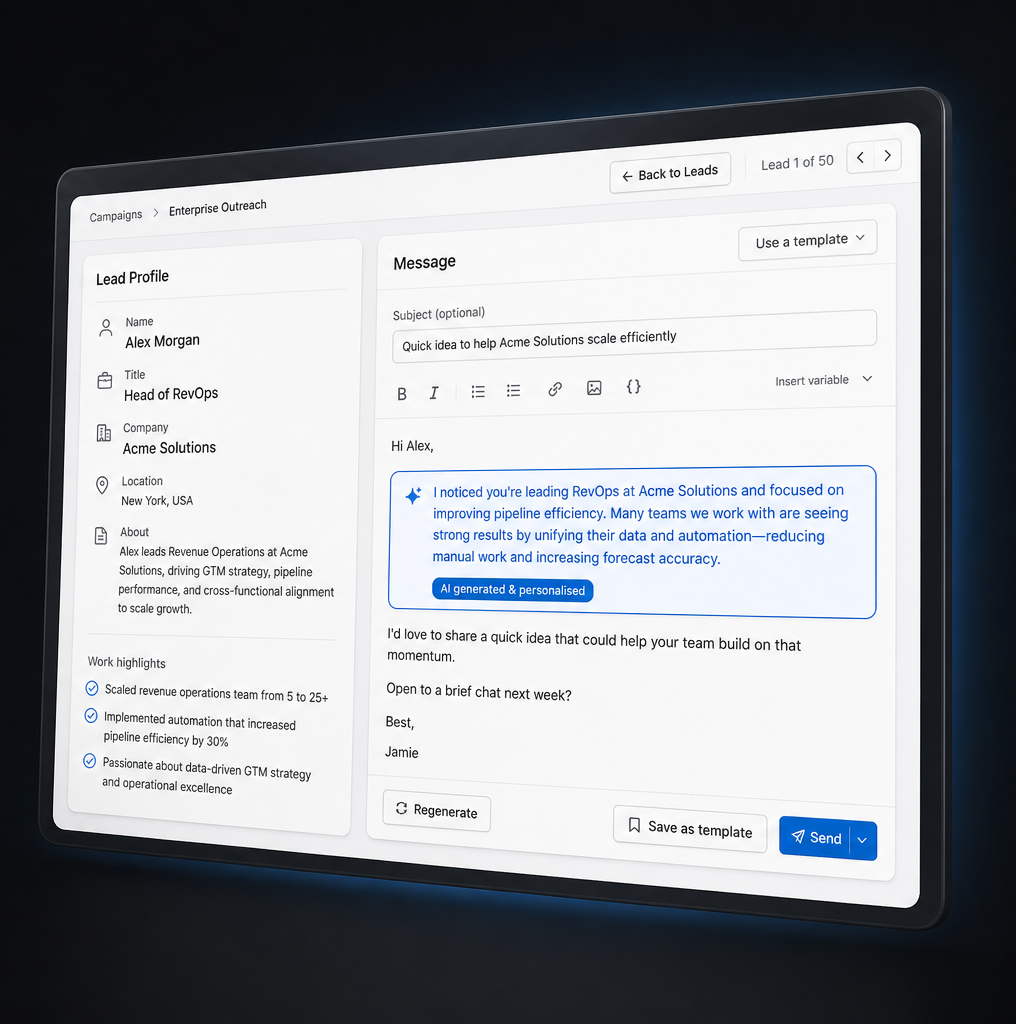
Bindago AI message personalisation interface showing personalised LinkedIn outreach
How It Works

Write Once. Personalise for Everyone.

You write one base message. AI generates a unique section for each lead using their real LinkedIn profile data.

1

Write your base message

Compose your outreach message using merge variables like {{firstName}} and {{company}}. This is sent as-is to leads without enough profile data.

2

Turn on AI personalisation

Enable the toggle on any campaign step. Choose which LinkedIn profile fields to use, where the personalised section appears, and which style the AI should apply.

3

Launch and scale

Bindago processes each lead individually. Every outgoing message gets a personalised section tailored to that person. No templates that feel like templates.

Profile Intelligence

The AI Reads the Actual LinkedIn Profile

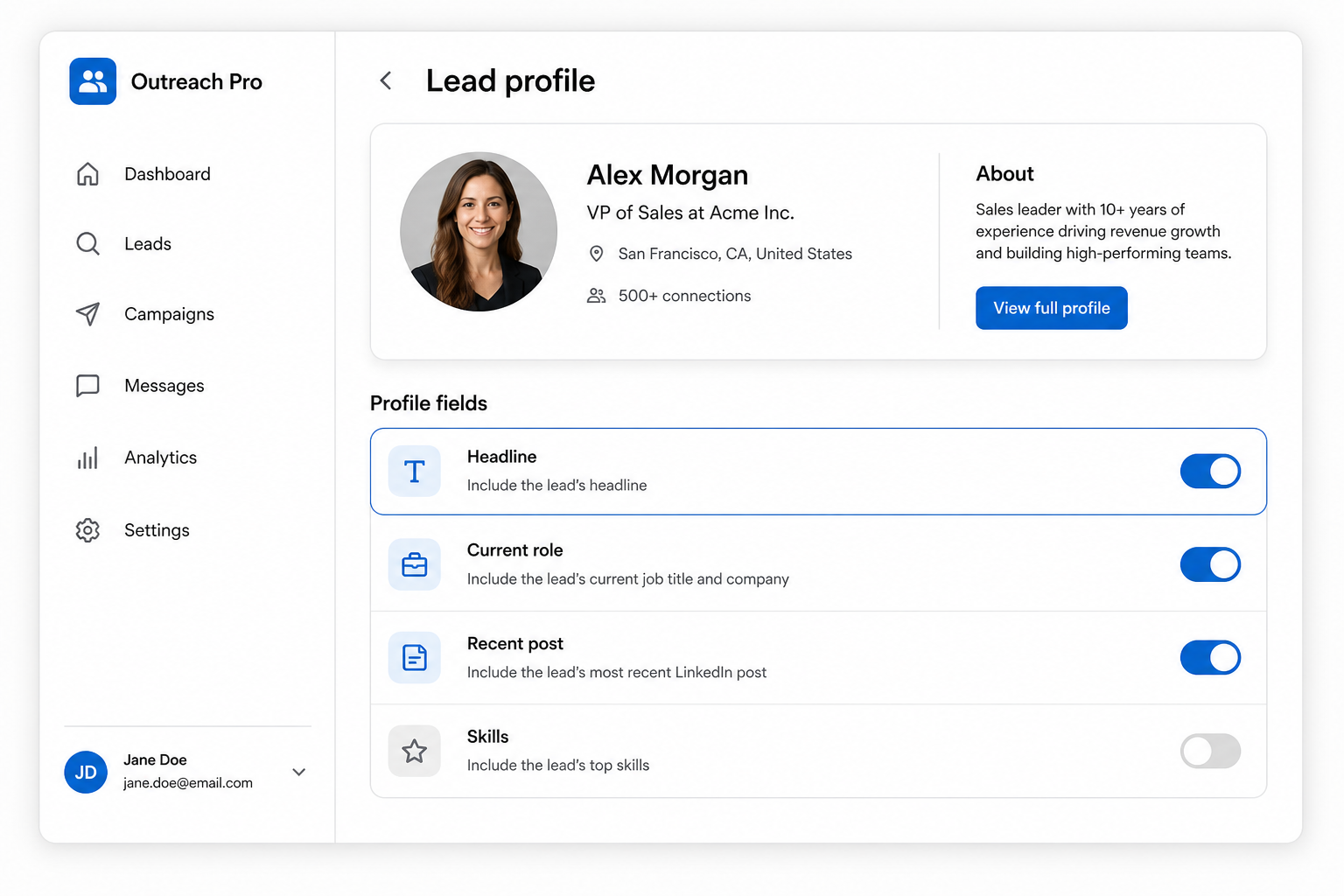
You choose which profile data feeds into the personalised section. The more relevant the input, the sharper the message.

  • Headline and current role
  • Summary / About section
  • Past positions and career history
  • Skills and listed competencies
  • Recent LinkedIn posts and activity
  • Shared companies, schools, or groups
Lead profile panel showing which LinkedIn profile fields Bindago uses for AI personalisation
Message Control

You Decide Where the Personalised Line Goes

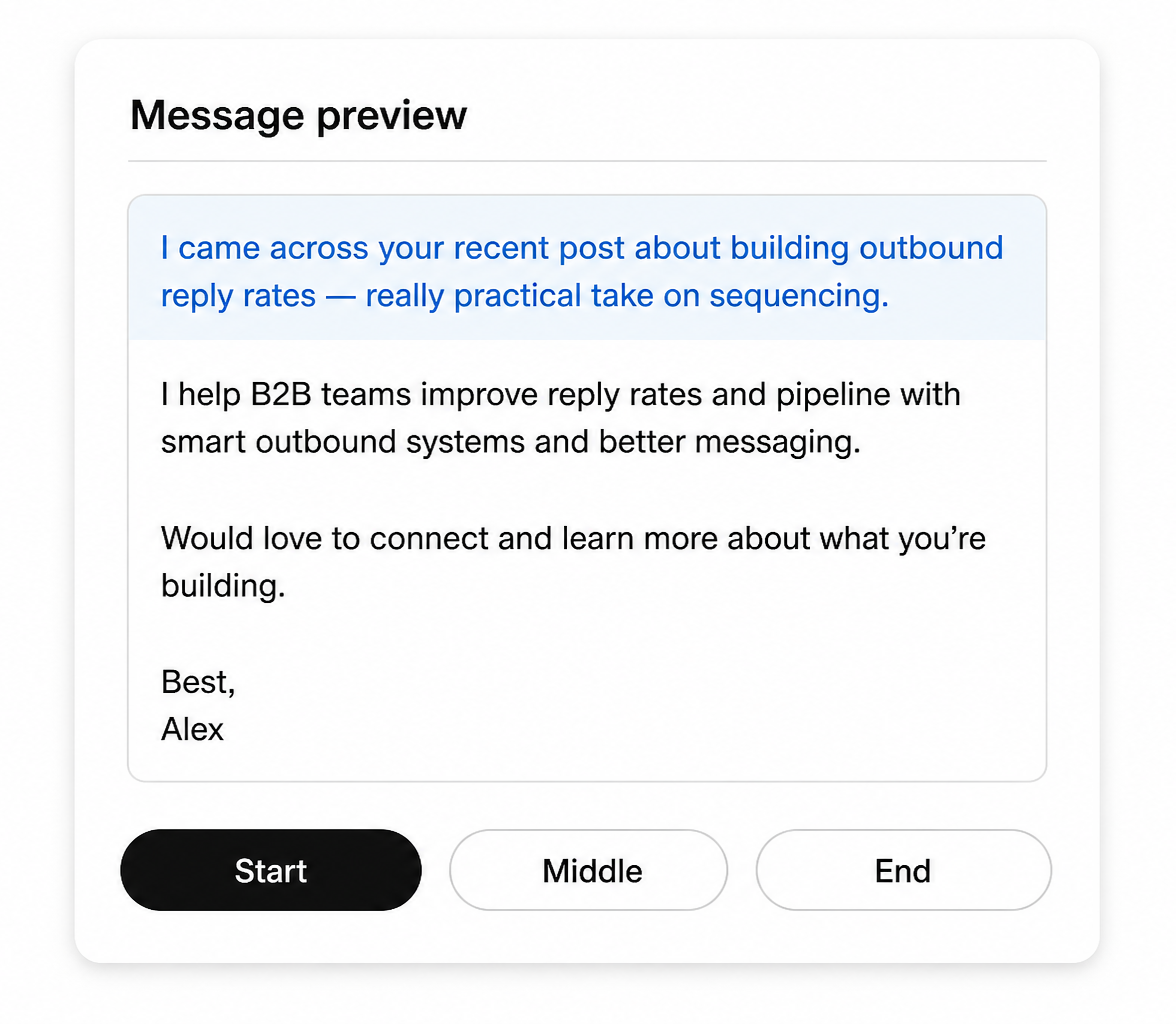
The AI writes a short personalised section. You choose whether it appears at the start, middle, or end of your message. The rest of your copy stays exactly as you wrote it.

  • Start: lead with the personalised hook
  • Middle: sandwich it between your context and your ask
  • End: close with something specific to them
Message preview showing personalised section inserted at the start of a LinkedIn outreach message
Personalisation Styles

Several Styles. The AI Picks the Best Fit Per Lead.

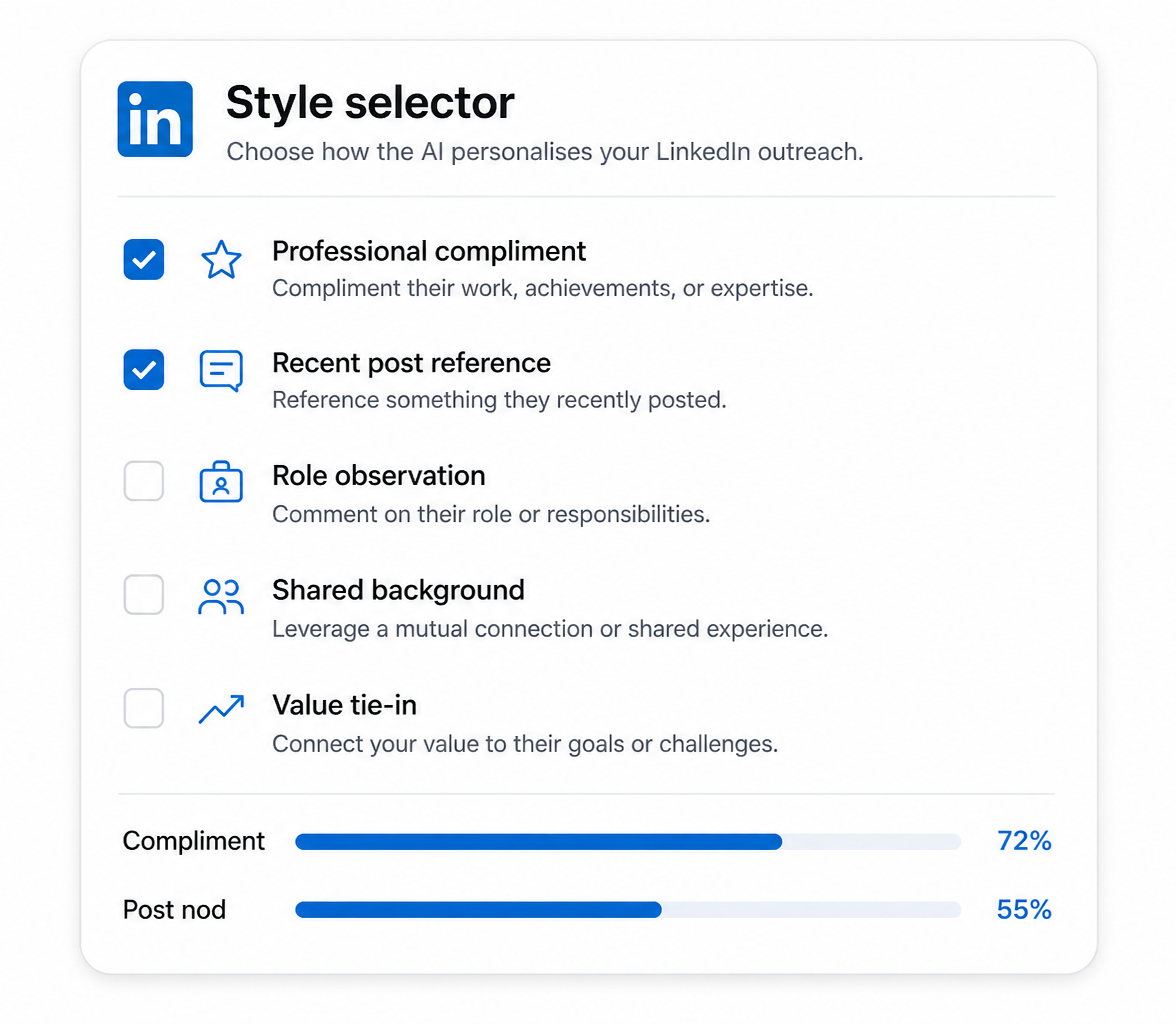
Enable multiple styles and AI picks the one that fits each lead's profile best. You're not locked into one tone across your whole campaign.

  • Professional compliment: specific praise tied to their role
  • Role observation: neutral "I noticed…" tied to their position
  • Shared background: mutual experience or context
  • Value tie-in: connect profile detail to your outreach reason
  • Recent post reference: mention something they published
  • Curious question: short question that shows genuine interest
  • Expertise respect: acknowledge their domain depth
Personalisation style selector with multiple AI tone options for LinkedIn messages
Quality Control

Test on Any Lead Before You Send

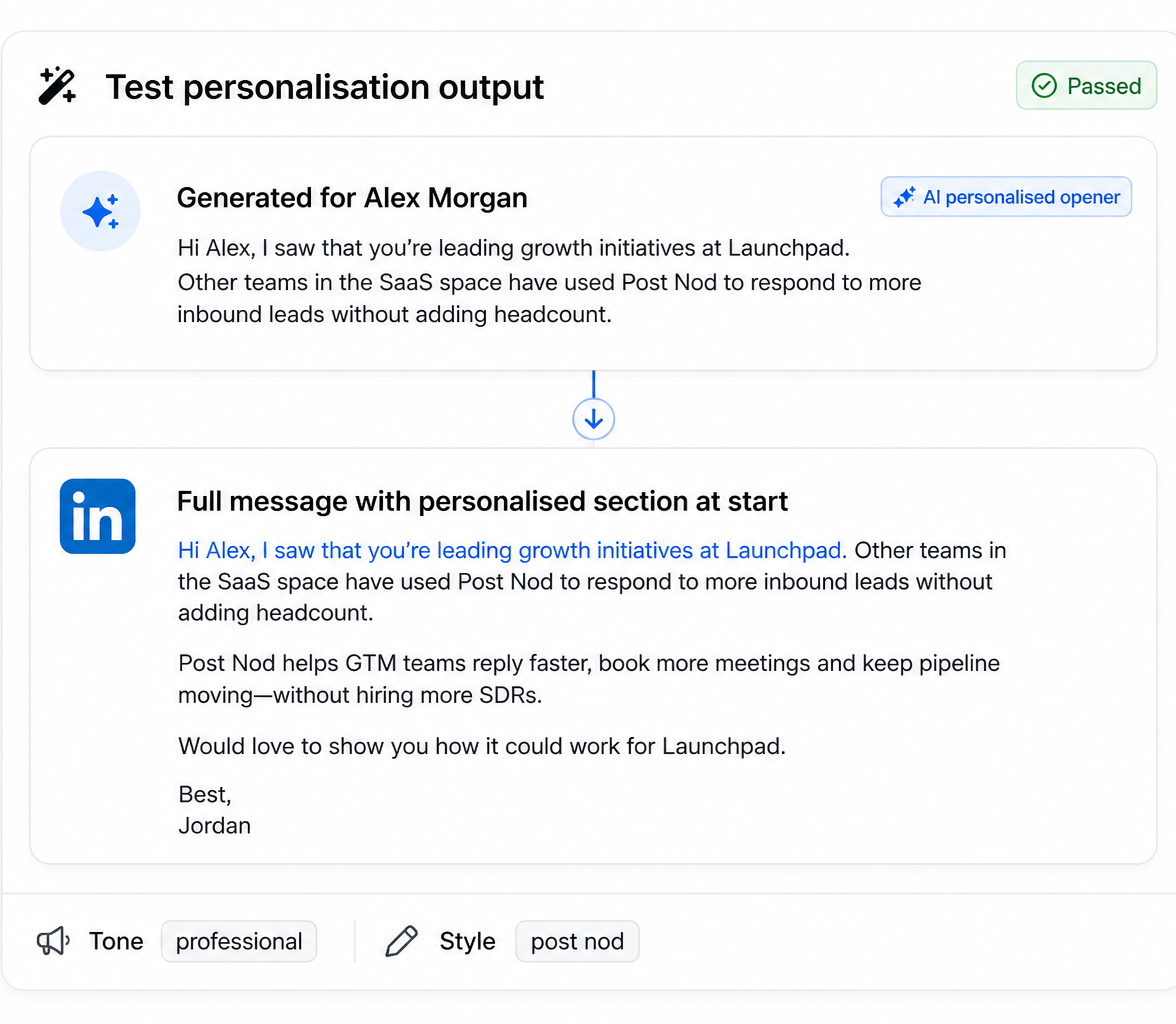
Before your campaign runs, preview exactly what the AI generates for specific profiles. Adjust fields or styles, then test again until the tone is right.

  • See the full personalised message before launch
  • Adjust which profile fields the AI uses
  • Try different style combinations per campaign
  • If a profile lacks data, your base message is sent as-is
Test personalisation output preview before sending a LinkedIn campaign

Runs on your machine. Not a cloud proxy.

Desktop App

Runs locally on Windows, macOS, and Linux. Outreach goes through your own IP, not a shared cloud proxy.

Account Safety

Smart delays, daily limits, and human-like pacing built in. AI personalisation works within the same safe guardrails.

No API Key Needed

AI personalisation is built directly into Bindago's campaign flow. No OpenAI account, no prompt engineering, no extra setup.

Write Once. Personalise for Every Lead.

Start your 10-day free trial and see how AI LinkedIn messaging scales without losing the personal touch.

✓ 10 Days Free Trial    ✓ No Credit Card Required    ✓ Cancel Anytime