The LinkedIn Content Formats Account Executives Should Be Using
For a modern Account Executive, LinkedIn is no longer just a place to connect with prospects—it's a platform to build authority, earn trust, and warm up your entire territory at scale. While consistent outreach is crucial, a powerful content strategy is what separates top performers from the rest. Prospects are more likely to take a call from a trusted advisor than from a stranger.
But the biggest hurdle for most AEs is the same: "What do I post?"
The key is to move beyond random updates and adopt a strategic approach, using specific content formats designed to achieve different goals. This guide breaks down the essential LinkedIn content formats every Account Executive should be using to build their brand, engage prospects, and generate a predictable pipeline.
1. The "Problem-Solver" Text Post
This is the bread and butter of a successful AE's content strategy. It’s a short, text-only post that focuses on a single, specific pain point your Ideal Customer Profile (ICP) experiences.
-
Why it Works: It immediately signals to your prospects that you understand their world. It builds credibility by focusing on their problems, not your solution. These posts are easy to read and highly shareable.
-
How to Create It:
- The Hook: Start with a bold statement or question that addresses the pain point.
- The Insight: Provide a quick, valuable insight or a reframe of the problem.
- The Takeaway: End with a concise, memorable lesson.
-
Example:
Your discovery calls are failing because you're selling, not diagnosing.
Prospects don't want to hear about your features. They want to feel understood.
The best AEs act like doctors: they ask insightful questions to get to the root of the pain before they ever prescribe a solution.
Stop pitching. Start diagnosing.
2. The "How-To" Carousel Post
Carousels (uploaded as PDFs) are perfect for breaking down a process or framework into digestible steps. They position you as an expert who can make complex topics simple.
- Why it Works: Carousels are visually engaging and have high "dwell time" (the time spent on the post), which the LinkedIn algorithm loves. They are perceived as high-value, educational content.
- How to Create It:
- Title Slide: A compelling title (e.g., "The 5-Step Framework for Reviving a Stalled Deal").
- Problem Slide: Briefly state the problem you're solving.
- Step-by-Step Slides: Dedicate one slide to each step of your process.
- Summary/CTA Slide: Recap the key takeaway and include a call to action (e.g., "What's your go-to move for reviving a stalled deal? Let me know in the comments.").
3. The "Customer Story" (Anonymized)
Social proof is your most powerful sales tool. A customer story is a case study transformed into a compelling narrative.
- Why it Works: It demonstrates that you can deliver real-world results. Stories are more memorable and persuasive than a list of features.
- How to Create It: Use the Problem-Agitate-Solve framework.
- Problem: "I was talking to a VP of Sales at a mid-size SaaS company..."
- Agitate: "...and they were struggling with a 3-month sales cycle for deals that should have closed in 30 days."
- Solve: "We implemented one simple change to their demo process, and they've since cut their sales cycle by 40%."
- Lesson: "The lesson: The problem wasn't the product; it was the process."
4. The Short "Talking Head" Video
Video is the fastest way to build a human connection at scale. A short, 60-90 second video of you sharing a single tip can be incredibly powerful.
- Why it Works: It allows prospects to see your face and hear your voice, which builds trust far more quickly than text alone.
- How to Create It:
- You don't need fancy equipment. Your smartphone is enough.
- Choose one simple idea (e.g., a common mistake you see, a single productivity hack).
- Look directly at the camera and speak conversationally.
- Crucially, add captions. Most videos on LinkedIn are watched with the sound off.
5. The Engaging Poll or Question
The goal of some content isn't to teach, but to listen. Polls and open-ended questions are fantastic for sparking conversation and gathering valuable intel on your prospects' priorities.
- Why it Works: They are low-friction and easy for your audience to engage with. The results can also provide you with the data for a follow-up post.
- Example:
Poll Question: What's the biggest challenge for your sales team right now?
- A) Generating enough qualified leads.
- B) Long sales cycles.
- C) Low close rates.
- D) Inaccurate forecasting.
Turning Content Engagement Into Pipeline
Creating valuable content is just the first step. The real ROI comes from turning the engagement on that content—the likes and comments—into real business conversations. The people who engage with your content about a specific problem are your warmest leads.
But manually tracking and reaching out to every person is not a scalable strategy. This is where you need a system.
A powerful and secure automation tool like Bindago can be your engine for this. You can create a list of the prospects who engaged with a specific post and then use Bindago's Campaigns feature to launch a targeted outreach sequence.
- Step 1: Send a Contextual Connection Request.
- Template: "Hi {{firstName}}, thanks for liking my post on [Topic]. Since you're clearly interested in this area, I thought it would be great to connect."
- Step 2 (3 days after connecting): Send a Value-Driven Follow-Up.
- Template: "Thanks for connecting! As you're interested in [Topic], I thought you might find this in-depth guide we wrote on the subject useful. [Link to a high-value resource]."
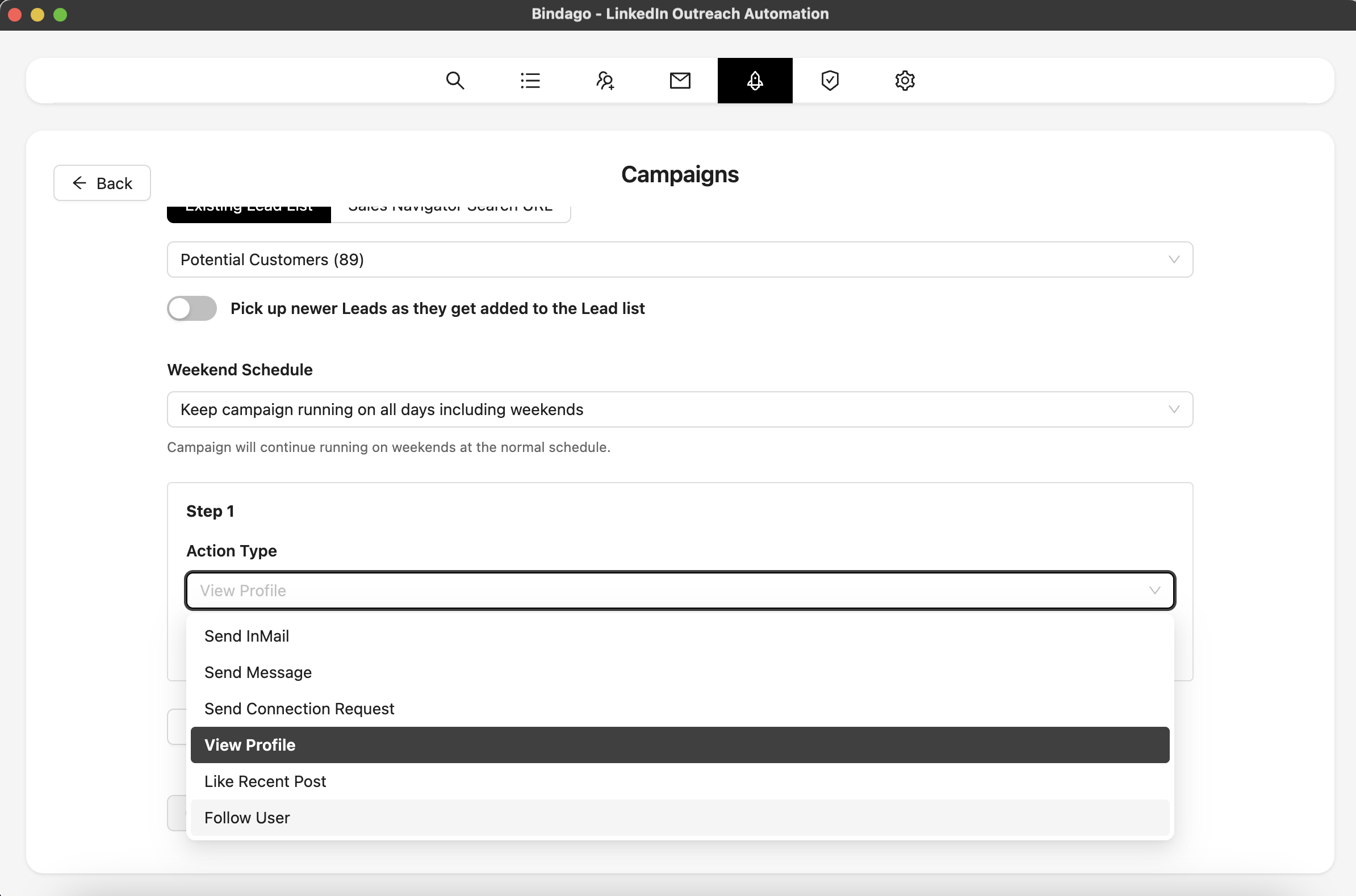
By using Bindago to systematize this process, you can ensure that every valuable engagement is converted into a conversation, turning your content strategy into a predictable lead generation machine. And because it’s a desktop application, your LinkedIn credentials and data remain securely on your computer.
Conclusion
As an Account Executive, you don't need to be a professional content creator to succeed on LinkedIn. You just need to be strategic. By focusing on solving your prospects' problems and using a mix of these proven content formats, you can build a powerful personal brand that attracts opportunities.
Combine this content strategy with a systematic approach to engagement and outreach, and you'll have a repeatable engine for building your pipeline and crushing your sales goals.
Ready to turn your content into conversations? Download Bindago today and start your 10-day free trial.
