How to Make LinkedIn Video Content Work for B2B Sales
In the crowded, text-heavy world of the LinkedIn feed, video is your secret weapon. While your competitors are writing long posts that get scrolled past, a well-crafted video can stop a prospect in their tracks, build trust in seconds, and communicate your value proposition more effectively than any wall of text. For B2B sales professionals, video isn't just a marketing gimmick; it's a powerful tool for starting conversations and closing deals.
However, many salespeople are hesitant to use video. They worry about being on camera, not having the right equipment, or not knowing what to say. The truth is, you don't need a professional studio to succeed. You just need a clear strategy. This guide will provide you with an actionable framework to make LinkedIn video content a core part of your sales process.
1. Why Video is a Superpower for B2B Sales on LinkedIn
If you're not using video, you're leaving money on the table. Here's why it's so effective:
- It Builds Trust Instantly: Sales is built on trust, and video is the fastest way to build it at scale. When prospects can see your face and hear your voice, they feel like they know you, making them far more receptive to your outreach.
- It Cuts Through the Noise: The LinkedIn feed is saturated with text posts. A moving, dynamic video naturally grabs attention and stops the scroll.
- It Simplifies Complex Ideas: Is your product or service difficult to explain? A short screen-share video can demonstrate value more clearly than a 1,000-word document.
- It Humanizes You: In a world of automated messages and corporate jargon, video reminds prospects that there's a real, relatable person on the other side of the screen.
2. The 4 Types of LinkedIn Videos That Drive Sales Conversations
You don't need to be a video producer. Focus on these four simple, high-impact video formats.
1. The "Talking Head" Insight Video (60-90 seconds)
This is the easiest video to create. Simply turn on your camera (your phone is fine) and share a quick, valuable insight.
- Idea: Answer a common question you get on sales calls.
- Example: "I get asked all the time how we're different from [Competitor]. Here are the two key things you need to know..."
2. The Screen-Share "How-To" Video (2-3 minutes)
This is perfect for demonstrating expertise and providing tangible value.
- Idea: Walk through a process, a framework, or a feature of a tool you use.
- Example: "Here's a 3-step process for using LinkedIn Sales Navigator to find high-intent leads."
3. The Customer Testimonial Video
This is social proof on steroids. A short clip of a happy customer is more powerful than any case study.
- Idea: Ask a satisfied client to record a 30-second video answering the question, "What was the biggest result you got from working with us?"
- Example: A simple, authentic video of a client sharing their success story.
4. The "Behind-the-Scenes" Video
This type of video humanizes your brand and makes you more relatable.
- Idea: A short clip of your team during a brainstorming session, a tour of your office, or you preparing for a big presentation.
- Example: "A quick look at how our team prepares for a new client kickoff. It all starts at the whiteboard!"
3. Best Practices for Creating Videos That Don't Get Ignored
- The First 3 Seconds are Everything: Your opening needs a strong hook. Start with a bold statement or a provocative question.
- Always Use Captions: Over 85% of videos on social media are watched with the sound off. Use a tool like CapCut or Descript to add captions to your videos.
- Keep it Short and Sweet: For the LinkedIn feed, aim for 60-90 seconds. Get to the point quickly.
- Have a Clear Call-to-Action (CTA): Tell your viewers what to do next. "What do you think? Let me know in the comments," or "If you're facing this challenge, send me a DM."
- Good Lighting and Clear Audio: You don't need expensive gear. A simple ring light and a USB microphone (or even your phone's microphone in a quiet room) can make a huge difference.
4. From Views to Conversations: Turning Engagement into Pipeline
A video with thousands of views is a vanity metric if it doesn't lead to conversations. The real value of your video content lies in the engagement it generates. The people who like and comment on your video are your warmest leads. They have just raised their hand and signaled that the topic you're discussing is relevant to them.
The challenge is, how do you systematically turn that engagement into a real business conversation? Manually tracking every "like" and "comment" and sending a personalized message to each person is not a scalable strategy. This is where you need a system to convert interest into opportunity.
Systematize Your Video Follow-Up with Bindago
While you focus on creating valuable video content, a smart automation tool like Bindago can work in the background to turn your engaged viewers into a pipeline of warm leads.
Bindago is a desktop application that helps you automate your LinkedIn outreach safely and efficiently. Here’s how you can use it to capitalize on your video engagement:
- Identify Your Engaged Prospects: After your video has been live for a day or two, you have a list of people who have liked or commented. These are your high-intent leads.
- Launch a Targeted Outreach Campaign: You can create a list of these prospects and use Bindago's Campaigns feature to launch a multi-step outreach sequence.
- Step 1: Send a Contextual Connection Request.
- Template: "Hi {{firstName}}, thanks for engaging with my video on [Topic]. Since you're clearly interested in this area, I thought it would be great to connect."
- Step 2 (3 days after connecting): Send a Value-Driven Follow-Up.
- Template: "Thanks for connecting! As you're interested in [Topic], I thought you might find this in-depth guide on the subject useful. [Link to a longer article or resource]"
- Step 1: Send a Contextual Connection Request.
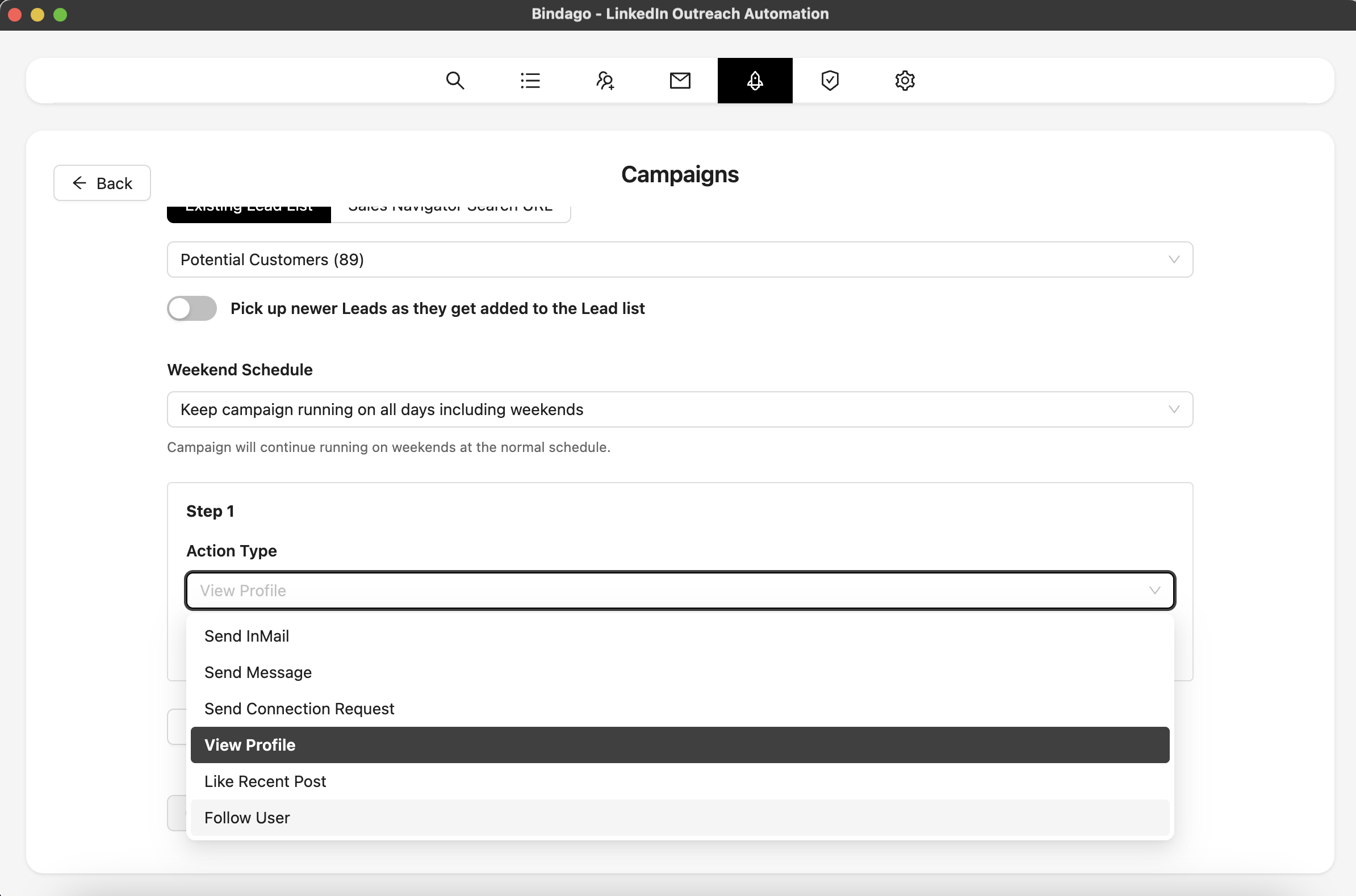
By using Bindago to automate this process, you can systematically turn every high-performing video into a pipeline of warm, qualified conversations. It allows you to focus on creating great content while the system handles the initial outreach. And because it's a desktop app, your LinkedIn credentials remain securely on your computer.
Conclusion: Stop Making Content, Start Starting Conversations
LinkedIn video is one of the most powerful tools a B2B sales professional has for building trust and starting conversations. But creating the video is only half the battle. The real ROI comes from having a systematic process to turn viewers into leads.
By combining a consistent video strategy with a smart, automated follow-up process, you can build a predictable lead generation machine that works for you around the clock.
Ready to turn your video engagement into real business opportunities? Download Bindago today and start your 10-day free trial.
