The Ultimate LinkedIn Script Bank for Account Executives
As an Account Executive, your effectiveness on LinkedIn hinges on one thing: your ability to start meaningful conversations at scale. While a highly personalized message will always be king, you can't craft a unique masterpiece for every single prospect. The key to balancing quality with quantity is to build a bank of proven, effective scripts that you can adapt and reuse.
This guide provides a comprehensive script bank for every common scenario an Account Executive faces on LinkedIn. These templates are designed to be a starting point for personalization, helping you save time, maintain a high standard of outreach, and ultimately, build a more predictable pipeline.
1. The Connection Request: Opening the Door
The only goal of a connection request is to get the prospect to accept. Your message should be short, contextual, and non-salesy.
The "Mutual Connection" Script
Leveraging a shared connection is the warmest possible opening.
"Hi {{firstName}}, I saw that we're both connected to [Mutual Connection's Name]. I'm also in the [Your Industry] space and am always looking to connect with other professionals in their network. Would be great to connect."
The "Content Engagement" Script
If a prospect has liked or commented on your post, this is a warm invitation to connect.
"Hi {{firstName}}, thanks for engaging with my recent post on [Topic]. I'm glad it resonated with you. Since you're clearly interested in this area, I thought it would be great to connect and share more insights."
The "Trigger Event" Script
A new job, promotion, or company funding announcement is a perfect, timely reason to reach out.
"Hi {{firstName}}, I saw the news about {{companyName}}'s recent [Trigger Event, e.g., Series B funding]. Congratulations! I often work with leaders at fast-growing companies to help them navigate [Challenge related to the event]. Would love to connect."
The "Shared Group" Script
Being in the same niche LinkedIn Group provides immediate common ground.
"Hi {{firstName}}, I saw you're also a member of the '[Group Name]' LinkedIn Group. I'm always keen to connect with other members who are passionate about [Topic of the group]. Let's connect!"
2. The Follow-Up Sequence: From Connection to Conversation
Once a prospect connects, the real work begins. A systematic follow-up sequence is what turns a passive connection into an active conversation.
The "Value First" Follow-Up (2-3 Days After Connecting)
Your first message should always give value, not ask for something.
"Thanks for connecting, {{firstName}}! I saw on your profile that you're focused on [Their Area of Responsibility]. I recently came across this in-depth guide on [Relevant Topic] that I thought you might find useful. Here's the link: [Link to a high-value blog post, whitepaper, or case study]."
The "Insightful Question" Follow-Up (5-7 Days Later)
If you get no response, your next step is to spark a conversation with a thoughtful, open-ended question.
"Hi {{firstName}}, I hope you're having a great week. I'm curious, given your role at {{companyName}}, how is your team thinking about the impact of [Industry Trend] on your strategy for next quarter? We've seen some interesting approaches."
The "Soft Call-to-Action" Follow-Up (10-14 Days Later)
After providing value, you can gently pivot to a business conversation.
"Hi {{firstName}}, hope the resources I shared were helpful. We specialize in helping companies like yours achieve [Specific Outcome]. Would you be open to a brief 15-minute chat next week to explore if this could be relevant for you?"
The "Graceful Exit" Follow-Up
If a prospect still doesn't reply, bow out professionally. This often gets a response because it removes all pressure.
"Hi {{firstName}}, I know you're likely swamped, so I won't follow up on this again. If you ever find that [Your Value Proposition] becomes a priority, please feel free to reach out. Wishing you and the team at {{companyName}} all the best."
3. The Re-Engagement Script: Reviving a Cold Lead
Every AE has a pipeline of deals that went cold. Instead of the tired "just checking in" email, use this value-driven script to re-engage on LinkedIn.
"Hi {{firstName}}, hope you're well. It's been a little while since we last spoke about [Original Problem]. We've actually just released a new case study with [Similar Company] on how they solved that exact challenge, and it made me think of you. Here's the link if you're interested: [Link]. No pressure at all, just thought it might be valuable."
4. How to Systematize Your Script Bank with Automation
Having a library of proven templates is powerful, but manually managing which script to send to which prospect at what time is not a scalable system. To truly execute this strategy effectively, you need to automate the process.
This is where a secure and powerful automation tool like Bindago becomes an Account Executive's most valuable asset. Bindago is a desktop application that allows you to turn your script bank into automated, multi-step outreach campaigns.
Here’s how you can use Bindago to scale your proven scripts:
- Build a Template Library: You can save all your best-performing templates directly within the Bindago app for easy access.
- Create Segment-Specific Campaigns: For each of your prospect segments (e.g., "SaaS Marketing VPs," "New Hires"), you can build a unique campaign that uses the most relevant scripts.
- Automate Your Sequences: Build a campaign that automatically sends your connection request, waits for the prospect to accept, and then delivers your value-driven follow-up sequence over several weeks.
- Personalize at Scale: Use Bindago's personalization variables (
{{firstName}},{{companyName}},{{title}}) to ensure every message feels one-to-one.
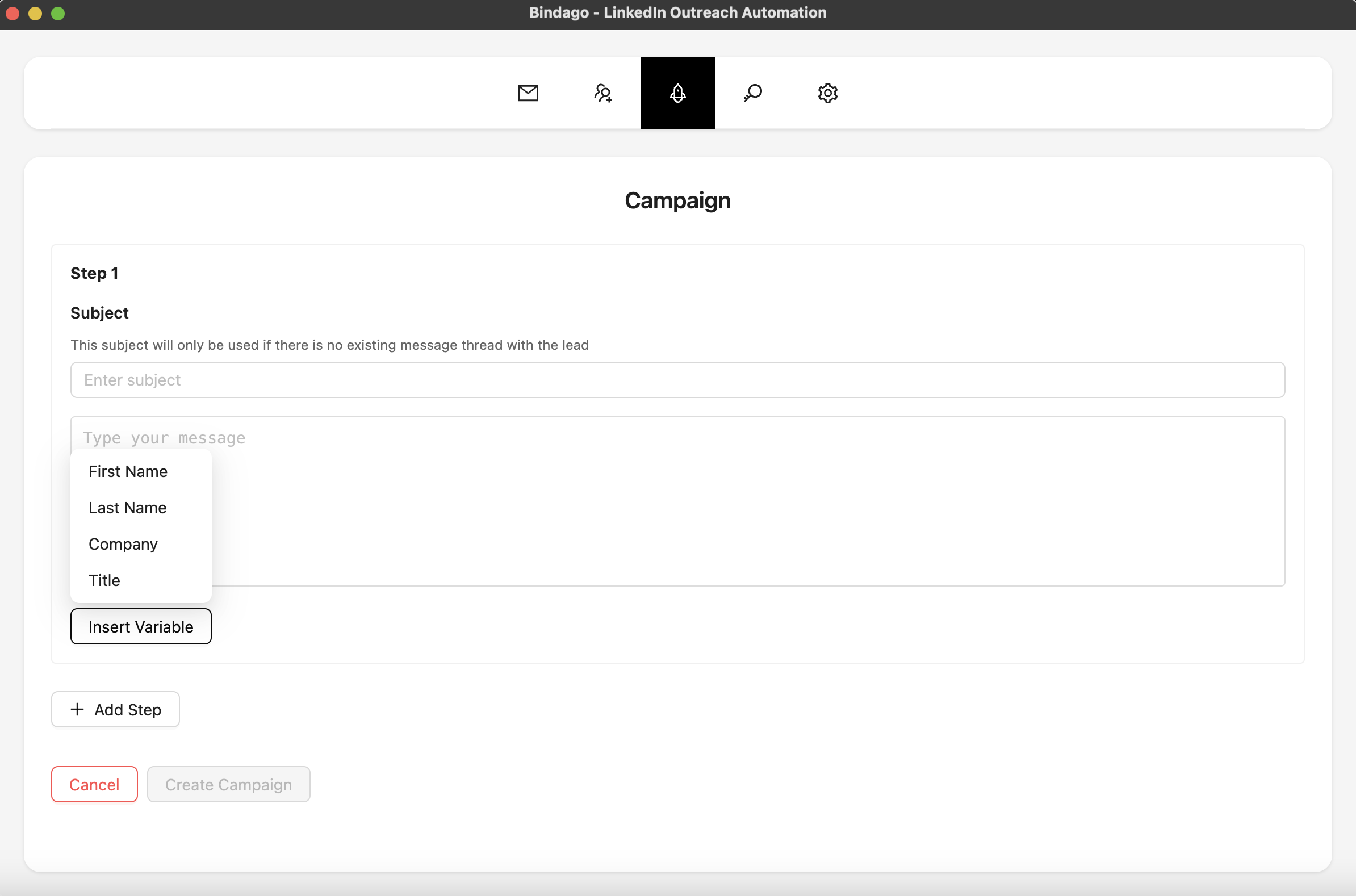
By using Bindago, you can ensure that every prospect is being nurtured with a strategic sequence of messages, dramatically increasing your response rates and the number of sales conversations you start. The automation is smart: the sequence for a prospect will stop automatically as soon as they reply, allowing you to step in and have a real, human conversation. And because it's a desktop app, your LinkedIn credentials remain securely on your computer.
Conclusion: Build a System, Not Just a List of Scripts
The most successful Account Executives don't just have good scripts; they have a good system. By building a library of proven, value-driven templates and using a powerful automation tool to deploy them, you can move from random acts of outreach to a predictable engine for generating pipeline.
Stop wasting time on manual, repetitive tasks. Start building your script bank, systematize your outreach, and focus your energy on what you do best: having strategic conversations and closing deals.
Ready to turn your best scripts into a scalable outreach machine? Download Bindago today and start your 10-day free trial.
