Comparing PhantomBuster vs Zopto (Pros and Cons)
When it comes to scaling LinkedIn outreach, PhantomBuster and Zopto are two of the most recognized names in the automation space. Both are powerful cloud-based platforms designed to help sales teams and agencies generate leads, but they cater to very different users and needs. PhantomBuster is a flexible, workflow-based tool for tech-savvy users, while Zopto is an enterprise-grade solution built for high-volume outreach.
Choosing the right one is critical, as it involves a significant investment and impacts your outreach strategy and account security. This in-depth comparison will break down PhantomBuster vs. Zopto across features, pricing, security, and pros and cons to help you make an informed decision. We'll also introduce a secure, affordable desktop-based alternative, Bindago, for those who prioritize safety and value.
Feature Comparison
Both platforms are feature-rich, but their core philosophies are different. PhantomBuster is like a box of LEGOs, offering individual automations ("Phantoms") that you can chain together to create custom workflows. Zopto is a more structured, all-in-one platform focused on a streamlined outreach experience.
| Feature | PhantomBuster | Zopto |
|---|---|---|
| Platform | Cloud-Based | Cloud-Based |
| Core Focus | Flexible Workflow Automation & Data Scraping | High-Volume LinkedIn Outreach for Teams |
| Outreach Sequences | ✅ Yes (Via "Flows") | ✅ Yes (Advanced Drip Campaigns) |
| Multi-Channel | ✅ Yes (Highly customizable) | ✅ Yes (LinkedIn + Email) |
| A/B Testing | ✅ Yes | ✅ Yes |
| Data Scraping | ✅ Yes (Primary strength) | ❌ No (Focus on outreach) |
| Security Model | Cloud-based (Requires session cookie) | Cloud-based (Dedicated IP available) |
Pricing Comparison
This is where the two platforms diverge most dramatically, reflecting their different target markets.
| Aspect | PhantomBuster | Zopto |
|---|---|---|
| Model | Usage-Based (Execution time & slots) | Per-Seat Monthly |
| Starting Price | ~€56 / month (~$69/month) | ~$215 / month |
| Free Trial | ✅ Yes (14 days, limited usage) | ❌ No (Requires booking a demo) |
Zopto is clearly positioned as a premium, enterprise-level tool, costing more than 3 times PhantomBuster's starting price. PhantomBuster's usage-based pricing can be more flexible for smaller needs but can become expensive for high-volume, continuous automation.
Reliability and Customer Experience
-
PhantomBuster: Is known for its power and flexibility, which can come at the cost of simplicity. It has a steeper learning curve and is best suited for users who are comfortable with a more technical setup. Customer support is generally available, but the self-serve nature of the platform means users are often expected to build their own solutions using the provided tools.
-
Zopto: Is designed to be a more managed solution. It's often praised for its user-friendly interface (relative to its power) and features designed for sales teams, such as advanced filtering and reporting. Customer support is typically more hands-on, which is expected given its premium price point.
Security of Your LinkedIn Account
This is a critical consideration when choosing any automation tool. Both platforms are cloud-based, which carries inherent risks.
- PhantomBuster: Requires you to provide your session cookie to operate. While this avoids handing over your username and password directly, it still gives the platform access to your live LinkedIn session. If their systems were ever compromised, your account could be at risk.
- Zopto: Operates from the cloud and requires you to share your LinkedIn credentials. They mitigate risk by providing a dedicated IP address for your account, which makes the automation activity appear to come from a consistent location. However, your login details are still stored on a third-party server.
For users whose primary concern is security, neither cloud-based option is ideal.
Pros & Cons
PhantomBuster
-
Pros:
- Extremely flexible, with "Phantoms" for almost any automation task imaginable.
- Powerful data scraping capabilities across multiple websites, not just LinkedIn.
- More affordable starting price than Zopto.
- Great for technical marketers or developers who want to build custom workflows.
-
Cons:
- Steep learning curve for non-technical users.
- Usage-based pricing can become expensive and unpredictable.
- Security risk due to sharing session cookies.
Zopto
-
Pros:
- Powerful, all-in-one platform built specifically for high-volume sales outreach.
- Advanced filtering and campaign management features for sales teams.
- User-friendly interface for its level of power.
- Dedicated IP address for enhanced safety.
-
Cons:
- Extremely expensive, making it inaccessible for individuals and most small businesses.
- Significant security risk as it requires you to share your LinkedIn username and password.
- Less flexible than PhantomBuster; focused purely on outreach.
A More Secure and Affordable Alternative: Bindago
For users who are concerned about the high cost and security risks of cloud-based platforms like PhantomBuster and Zopto, Bindago offers a compelling alternative that focuses on providing powerful, secure, and affordable LinkedIn outreach.
- Website: https://bindago.com/
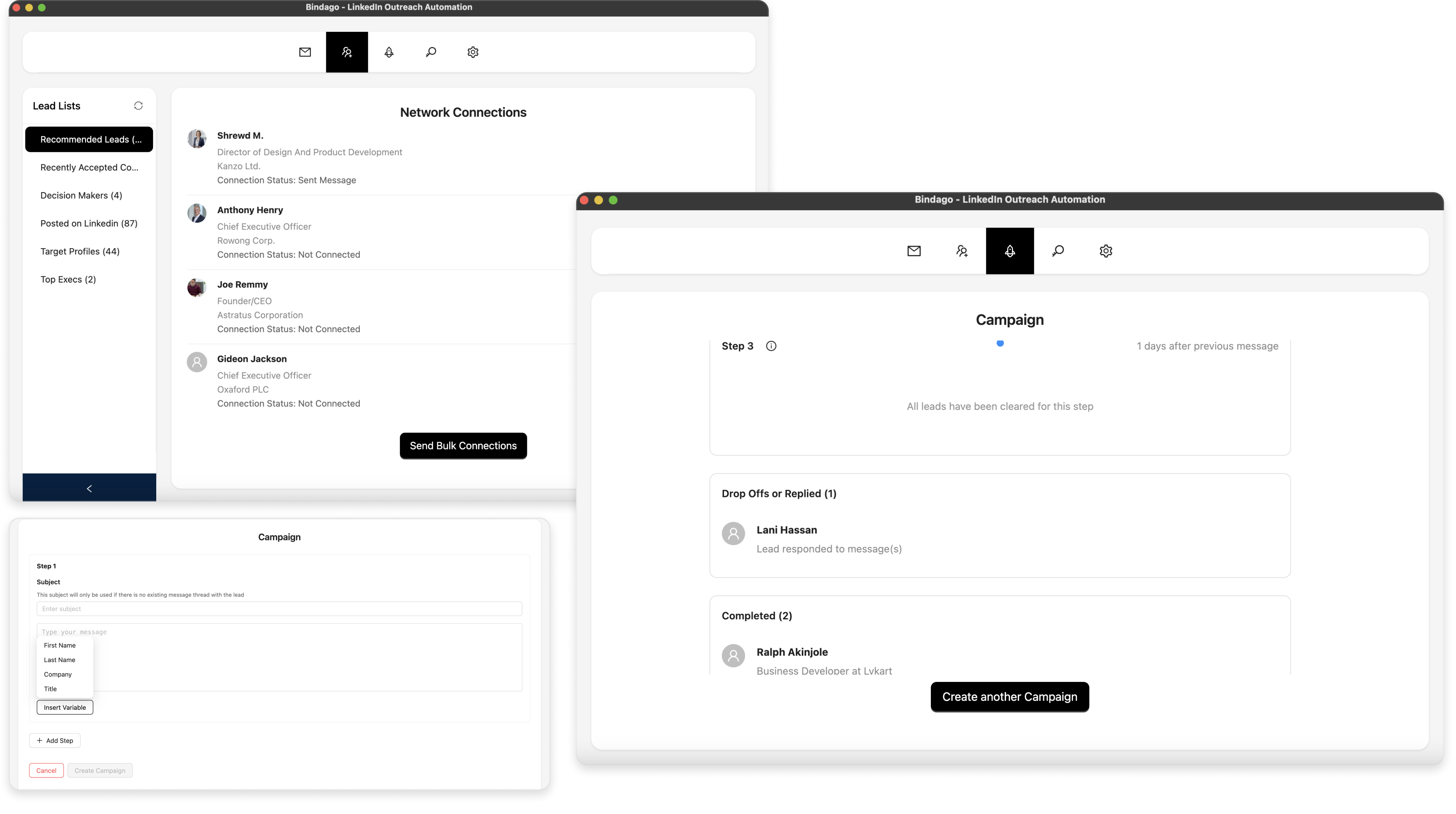
- What it does: A comprehensive desktop application for LinkedIn automation that covers all the core outreach needs: bulk connection requests, mass InMail campaigns, multi-step message sequences, and CSV exports.
- Pricing: $9.99/month (flat rate for all features)
Why Bindago is a Strong Alternative:
- Superior Security: As a desktop application, Bindago runs locally on your computer. This means your sensitive LinkedIn credentials are never shared with a third-party server, eliminating the primary security risk associated with cloud-based tools.
- Drastic Affordability: At just $9.99/month, Bindago is 7-20 times cheaper than PhantomBuster or Zopto, making powerful automation accessible to everyone, not just large agencies with deep pockets.
- Simplicity and Power: Bindago provides a full suite of essential outreach tools in an intuitive, easy-to-use interface. You can set up and launch a sophisticated multi-step campaign in minutes without a steep learning curve.
- Complete Outreach Toolkit: It includes practical features that many competitors lack, like a bulk invitation withdrawal tool to help keep your LinkedIn account in good standing and the ability to export leads to CSV.
Conclusion: Which Tool is Right for You?
The choice between PhantomBuster, Zopto, and an alternative like Bindago comes down to your priorities:
- Choose PhantomBuster if: You are a technical user who needs powerful data scraping and flexible, custom automation workflows across multiple platforms, and you're comfortable with its pricing model and security trade-offs.
- Choose Zopto if: You are a large sales team or agency with a significant budget, and you need a high-volume, premium outreach platform and are willing to accept the security risks of a cloud-based tool.
- Choose Bindago if: You need a powerful, focused, and highly secure tool for LinkedIn outreach automation at an unbeatable price. It's the ideal choice for solo entrepreneurs, small businesses, and sales professionals who prioritize account safety and value.
For most users focused on generating leads through direct LinkedIn outreach, the complexity of PhantomBuster and the extreme cost of Zopto make Bindago the most logical and valuable choice. It offers a professional-grade feature set and unmatched security at a price that is accessible to everyone.